


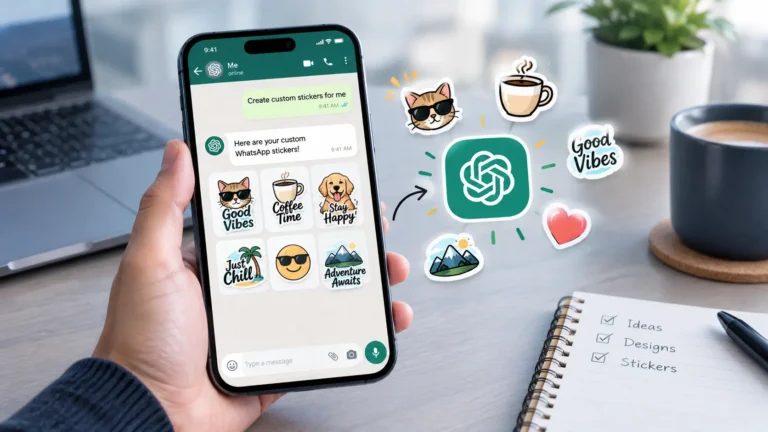
If you’re the kind of person who reaches for a sticker instead of a text reply on WhatsApp, OpenAI just made your life a little more fun. The company has rolled out a new stickers feature within ChatGPT, letting users create personalized sticker packs using nothing more than a simple text description. No design skills needed, just describe what you want, and ChatGPT handles the rest.
How This Feature Actually Works
The feature runs on OpenAI’s latest ChatGPT Images 2.0 image generation model, and it’s specifically built to make creating stickers for your group chats and personal conversations genuinely easy. As OpenAI put it in their own announcement, people around the world can now create personalized sticker packs simply by describing an idea, a character, an inside joke, or a reaction, and ChatGPT turns that description into a custom pack ready to use.
That flexibility is really the fun part here. You’re not limited to generic templates or pre-made designs. You could ask ChatGPT for a sticker pack based on your dog reacting to Monday mornings, or build one around a friend who’s always down for chai and pakoras, whatever inside joke your group chat already runs on; ChatGPT can likely turn it into stickers.
What Kind of Stickers Can You Make?
The possibilities here are genuinely broad. You can create stickers featuring your pets, friends, family members, or even everyday situations that already have some inside joke attached to them within your friend group.
Think funny moments, Bollywood-style dramatic reactions, or something as random as tiny samosas cheering someone on, if you can describe it, there’s a good chance ChatGPT can turn it into a sticker.
Each sticker pack can include up to nine individual stickers, and users get to choose from as many as 18 different visual styles, including options like Anime, 3D, and Holographic. So beyond just picking the concept, you also get some real control over how the final stickers actually look.
There’s also a neat customization option where stickers can be remixed with emojis, letting you add an extra personal touch on top of whatever ChatGPT generates for you.
How to Use and Share Your Stickers
Once your sticker pack is ready, you’re not stuck using it only inside ChatGPT. You can download the stickers directly or share them straight through messaging apps like WhatsApp and iMessage, which is really the whole point of the feature in the first place. This makes it genuinely simple to go from a random idea in your head to an actual usable sticker sitting in your WhatsApp chat within minutes.
The feature is currently available globally for mobile ChatGPT users, and it’s completely free to use, so there’s no subscription requirement standing between you and your first custom sticker pack.
Why This Feature Makes Sense Right Now
OpenAI has clearly been focused on making ChatGPT feel more woven into everyday, casual use rather than just a tool for work or research. This sticker feature fits right into that push, turning something as simple as a group chat inside joke into a shareable, personalized visual.
If you’re curious about other ways OpenAI has been expanding ChatGPT’s everyday usefulness lately, OpenAI’s recent launch of scheduled tasks in ChatGPT shows how the tool is increasingly being built to handle things automatically in the background too.
And if personalized AI content is something you’re already into, there’s another trend worth checking out. ChatGPT’s younger self photo trend has been turning old memories into viral AI art, and it’s a good example of just how creative people have gotten with these tools lately.
Should You Try It?
If your group chats already run on a steady stream of stickers, this is genuinely worth trying. With its range of styles, ability to base stickers on real inside jokes, and the fact that it’s free and works directly with apps you’re already using, it’s a small feature that’s likely to make your everyday chats a lot more personal and fun.