


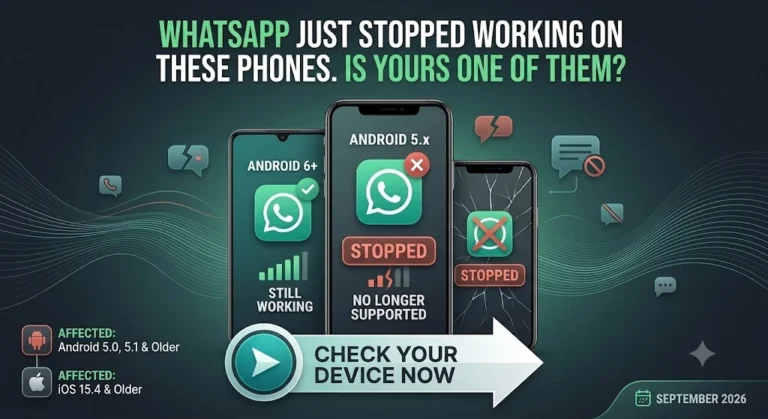
If you’re still holding onto an older phone, this is worth paying attention to. Meta has confirmed that WhatsApp stopped working on phones running versions older than Android 6.0, effective September 8, 2026. In plain terms, if your phone is running Android 5.0 or 5.1, you will not be able to send or receive WhatsApp messages anymore. iPhone users running very old software are affected too, though Meta has clarified that most current iPhone users won’t feel any impact from this particular change.
Which Phones Are Affected
WhatsApp has confirmed the app no longer works on devices running Android 5.0 or older, along with iPhones still on iOS 15.1 or earlier. That second part is important because it rules out most people using anything reasonably recent, but it does hit older iPhones hard. Models like the iPhone 5, iPhone 5c, iPhone 5s, iPhone 6, and iPhone 6 Plus are all on the list.
It’s not just Apple devices either. A number of older phones from Samsung, LG, Motorola, Sony, Huawei and HTC are also affected, mostly devices that launched years ago and have long since stopped receiving software updates from their manufacturers.
Why Meta Made This Call
This isn’t exactly a surprise move. Meta reviews device and software support every year, looking at which phones are the oldest and how many people are actually still using them.
Older devices tend to lack important security patches, which means user data on those phones is more exposed than it should be. On top of that, many of these older models simply don’t have the processing power needed to run WhatsApp’s newer features smoothly.
Between the security risk and the performance limitations, Meta trims a batch of older devices from its supported list each year, and this round happens to be a fairly big one.
What Actually Happens to Your Phone
Here’s the part that tends to confuse people. WhatsApp won’t just vanish from your phone overnight. The app itself typically stays installed, but it gradually stops functioning properly. You might notice messages failing to send, verification issues when trying to log back in, or the app refusing to open at all. It’s more of a slow breakdown than an instant shutoff, but the end result is the same, you lose access to WhatsApp on that device.
What You Should Do If Your Phone Is Affected
If you’re not sure whether your phone falls into this category, the first thing to do is check your device settings and see if a software update is available. In a lot of cases, simply updating to a newer Android or iOS version, if your phone supports it, will solve the problem completely and you won’t need to do anything else.
If your phone genuinely cannot be updated any further, that usually means the hardware itself is too old to support newer software. In that case, WhatsApp’s own recommendation is straightforward: it’s time to move to a newer, supported device. It might not be the answer anyone wants to hear, but it’s really the only way to keep using the app reliably going forward.
Related Article: iOS 27 Is Almost Here! Is Your iPhone on the List?
This kind of update happens more often than people realize; tech companies routinely phase out support for very old hardware as they push new features and stronger security standards. If your phone is on the newer side, none of this affects you. But if you’ve been holding onto an older device for a while now, it might be worth checking your software version sooner rather than later, before you find yourself locked out of one of the most used apps on your phone.