


There is a very specific kind of stress that comes from watching your phone hit 15% battery when you are still hours away from home. You start rationing usage, turn off data, and wonder whether you charged it long enough last night.
It happens to almost everyone, and surprisingly often it has nothing to do with the battery itself. It has to do with small settings running in the background that nobody told you were draining power the whole time.
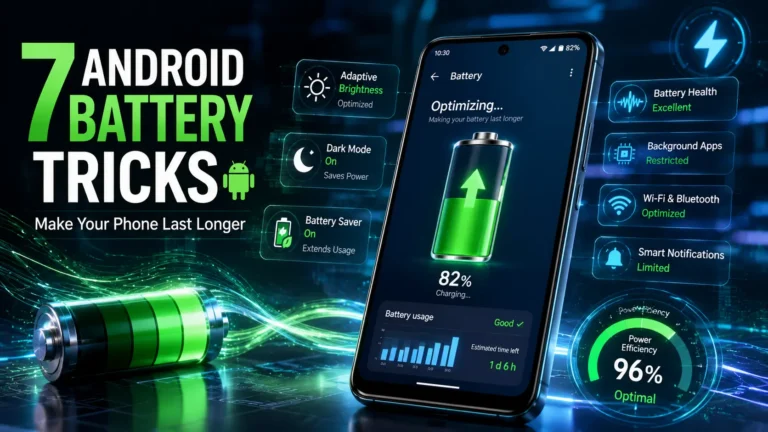
The good news is that fixing this does not require buying anything, downloading anything, or spending more than a few minutes in your settings. Here are 7 easy tricks to make your Android battery last longer in 2026. Follow these tips that genuinely work.
7 Easy Android Battery Saving Tricks That Actually Work in 2026
1. Lower Brightness, Not Expectations
Your display is almost certainly the biggest drain on your battery throughout the day, and most people keep it far brighter than they actually need to. At full brightness indoors, you are burning through power just to read messages and scroll through feeds in a well-lit room.
The simplest fix is to enable auto brightness, which adjusts the screen based on how much light is around you. If you prefer manual control, try dropping it down one or two notches from wherever you usually keep it. The difference will not be visible to your eyes indoors, but it will be visible on your battery percentage by evening. It is the most effective single change on this list.
2. Background Apps Are Sneakier Than You Think
This one surprises a lot of people. You close an app, you assume it stops running. That is not always what happens. Some apps continue refreshing content, checking for updates, syncing data, and tracking your location long after you have put the phone down. They just do it quietly, in the background, where you cannot see them.
Go into your phone’s battery settings and look at which apps have been consuming the most power. There is almost always one or two unexpected ones on the list. Restricting background activity for apps you do not use constantly is a quick change that can make a noticeable difference by the end of the day.
3. Dark Mode Does More Than Look Good at Night
If your Android phone has an OLED display — which most mid-range and flagship phones now do — dark mode is not just a visual preference. It is a battery saving tool. On OLED screens, black pixels are literally turned off rather than lit up, which means a dark interface consumes less power than a white or bright one.
Switching your phone to dark mode system-wide and enabling it in apps that support it will not transform your battery life on its own, but it contributes meaningfully when combined with the other changes here.
4. Turn Off What You Are Not Using
Bluetooth, Wi-Fi, GPS, and mobile hotspot are all useful features. But leaving all of them on at the same time, all day, when you are only using one of them, is unnecessary. Each one runs a small process in the background that draws power.
The habit to build is simple: turn on what you need when you need it, and turn it off when you are done. It takes about three seconds. If you commute on public transport and are not using Bluetooth for headphones, turn Bluetooth off. If you are somewhere with no Wi-Fi, turn Wi-Fi off so your phone stops hunting for networks. These micro-decisions add up over hours.
Also Read: 7 Hidden USB-C Features on Your Laptop You Probably Never Knew
5. Notifications Can Wait
Every notification that arrives lights up your screen, vibrates the phone, or both. Multiply that across twenty or thirty apps — news apps, social media, food delivery, email, messaging platforms, shopping apps, fitness trackers — and you have your screen waking up constantly throughout the day for things that genuinely do not need your immediate attention.
Go into your notification settings and be ruthless. Keep alerts on for the apps that actually matter and turn them off for the rest. Your battery will thank you, and honestly, so will your focus.
6. Battery Saver Mode Is There for a Reason
Every Android phone comes with a built-in battery saver mode, and most people only turn it on when they are already at 5% and slightly panicking. That is the wrong approach. Battery saver mode works by slightly reducing background activity, limiting performance on tasks that do not need full power, and dimming certain functions.
If you know you have a long day ahead and you will not be near a charger, turn battery saver on at 30% or even earlier. It will not make your phone feel sluggish for normal tasks, but it can extend your charge by a couple of hours when you actually need it.
7. Keep Your Apps and Software Updated
This one sounds almost too basic to mention, but it is worth including because the impact is real. App developers regularly release updates that fix inefficiencies in how their apps use power. Outdated apps sometimes run background processes that newer versions have already optimised or eliminated.
The same applies to your Android system software. Updates frequently include battery optimisations that are never front-page news but make a genuine difference over time. Setting your apps to auto-update overnight means you are always running the most efficient versions without thinking about it.
Also Read: 5 Easy Ways to Keep Your Laptop Cool While Gaming and Working
None of these changes will double your battery life overnight. But doing several of them together — lowering brightness, restricting background apps, enabling dark mode, turning off unused features, quieting unnecessary notifications, using battery saver mode earlier, and keeping software current — tends to produce a result that feels like you got a better phone. You didn’t. You just started using the one you already have a bit more thoughtfully.