


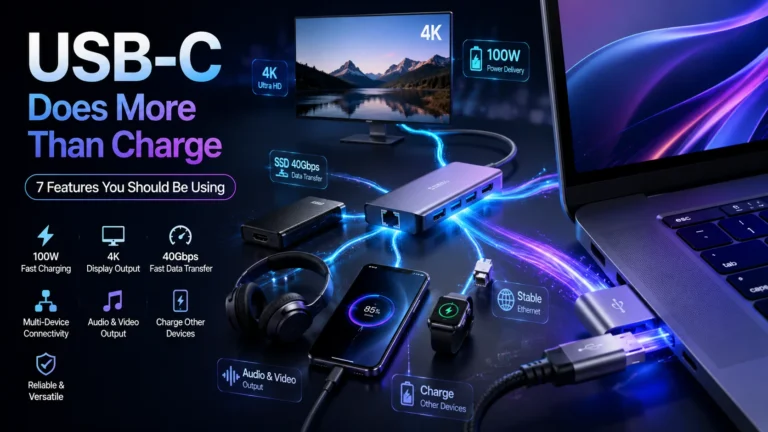
Most laptop users have a relationship with their USB-C port that goes something like this: plug in the charger, wait for the battery icon to appear, move on. That is it. The cable goes in, power comes out, job done.
But that small oval-shaped port — the one that fits either way up, which alone felt like a miracle after years of USB-A — is genuinely one of the most capable connectors ever built into a consumer laptop. Manufacturers designed it to replace multiple ports at once. Understanding what it can actually do changes how you work, how you travel, and how many cables you need to carry.
Here are seven things your USB-C port can do that most people never take advantage of.
7 Hidden USB-C Features on Your Laptop You Never Knew
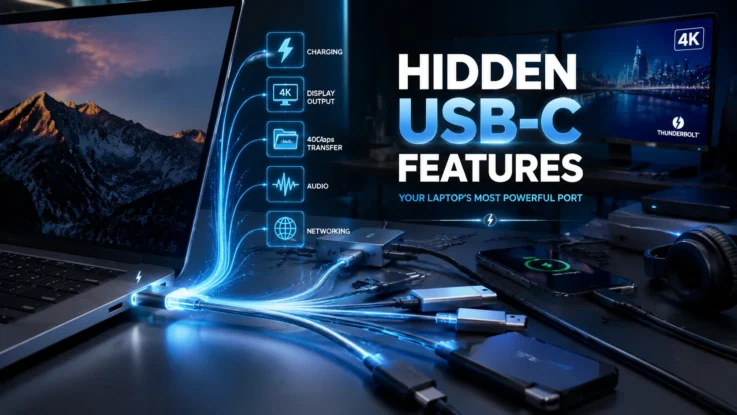
1. It Can Transfer Files at Blistering Speed
If your laptop supports USB 3.1 or Thunderbolt through the USB-C port, file transfers happen fast. Not slightly faster than a USB-A drive — genuinely, noticeably fast. Large video files that would take minutes on an older connection copy in seconds. For video editors, photographers, or anyone regularly moving large amounts of data between devices, this alone is worth knowing about. Check your laptop’s spec sheet to confirm which standard your USB-C port supports, because not all of them are equal on this front.
2. It Connects Directly to External Monitors and TVs
You do not need an HDMI port on your laptop to use an external display. A single USB-C to HDMI cable — or USB-C to DisplayPort, depending on your monitor — connects your laptop to any screen. Many modern monitors support up to 4K resolution through this connection. If you regularly work from a desk or like presenting without dongles and adapters, this is the most immediately useful thing to know.
3. One Port Can Run Your Entire Desk Setup
This is where USB-C gets genuinely impressive. With a USB-C docking station or hub, a single cable into your laptop can simultaneously power a monitor, a keyboard, a mouse, an ethernet connection, a hard drive, and several USB-A devices. You plug in one cable when you sit down and unplug one cable when you leave. Your entire desk comes alive through a single port. For anyone who works at a fixed desk but also takes their laptop out, this changes the daily routine completely.
4. It Charges Other Devices Too
The USB-C port on your laptop can send power out, not just receive it. Connect your phone to your laptop via a USB-C cable and your phone charges from your laptop’s battery. The same applies to wireless earbuds, smartwatches, and other small gadgets. In a pinch, your laptop becomes a power bank. Useful to know on a long flight or in a meeting room with limited sockets.
5. It Carries Audio and Video Together
Some laptops route audio signals through the USB-C port as well as video. In practice, this means a single USB-C connection to a monitor with built-in speakers can handle both display and audio output simultaneously. On thinner laptops that have dropped the 3.5mm headphone jack, USB-C adapters handle wired headphones through the same port. One port, multiple signal types.
6. Not Every USB-C Port Is the Same
This matters enough to say plainly. The USB-C connector is standardised in shape, but what it supports varies significantly between laptops and even between ports on the same laptop. One USB-C port on your machine might support Thunderbolt 4, fast charging, and display output. Another might only support basic charging and low-speed data transfer. Before buying cables or accessories, check your laptop’s manual or manufacturer website to confirm exactly what each port supports.
7. It Is an All-in-One Connectivity Solution, Not Just a Charger
That is the real headline. Laptop manufacturers built USB-C to eventually replace every other port — HDMI, USB-A, SD card slots, audio jacks, the lot. On the thinnest modern laptops, it has largely done exactly that. Understanding this means you stop treating it as a charging port with occasional other uses, and start treating it as the main connection point your laptop was designed around.
Also Read: Google NotebookLM Gets Gemini 3.5 Upgrade with Smarter Research and New Export Tools
The right cable and the right hub unlock the full potential of what is already sitting on the side of your laptop. The hardware is there. It has been there the whole time.