


Most Android users stick to the same handful of apps that came pre-installed on their phone or whatever shows up at the top of the Play Store charts. That is understandable, but it also means they are leaving a lot of functionality on the table.
The Android ecosystem is genuinely massive, and some of the best apps in it never get the visibility they deserve because they are not backed by big marketing budgets or corporate app store promotions.
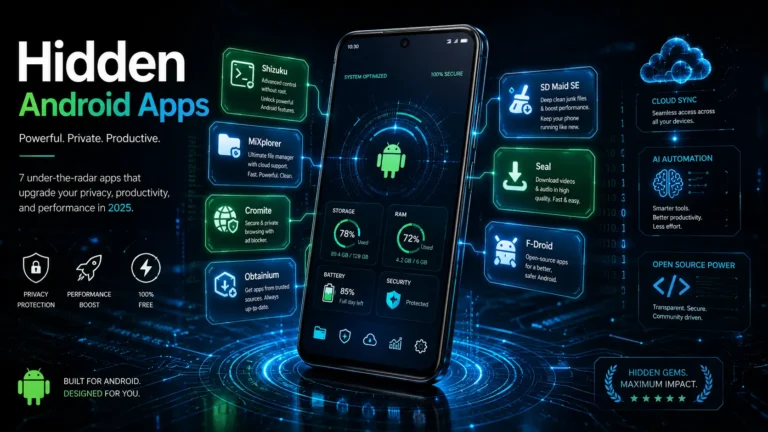
6 apps below are the kind of tools that people who really know their Android devices use daily. Some of them unlock features you did not know your phone had. Others replace bloated mainstream apps with something faster, cleaner, and more private. All of them are worth having on your device right now.
6 Powerful Android Apps You Must Try
1. Shizuku
Shizuku is probably the most powerful app on this list, and also the least known among casual Android users. What it does is give you access to advanced Android features that are normally only available on rooted phones, without actually needing to root your device. It works by running a small service in the background using ADB permissions, which then allows other apps to use those elevated permissions through Shizuku rather than needing root access individually.
In practical terms, this means you can use a whole category of powerful Android apps that would otherwise require root. Things like advanced app management, system-level customization, and deeper phone control all become accessible. Setting it up takes a few minutes via wireless debugging on Android 11 and above, or through a computer connection on older devices, but once it is running, it opens up a side of Android that most users never see. If you want more control over your phone without the risks that come with rooting, Shizuku is the starting point.
2. MiXplorer
Every Android phone comes with a basic file manager, and almost every basic file manager is frustrating to use the moment you try to do anything slightly beyond the ordinary. MiXplorer solves that problem completely. It is a full-featured file explorer that gives you access to hidden files, system files, and everything else on your device in a fast, smooth, and completely ad-free interface.
Beyond local storage, it connects directly to Google Drive, OneDrive, FTP servers, and several other cloud storage services, so you can manage everything from one place. It handles ZIP, RAR, and PDF files natively, meaning you can extract, compress, and view without needing separate apps for each format. If you deal with files on your phone regularly, MiXplorer will save you time every single day.
3. Cromite
Chrome is fine. It is also tracking you, serving you ads, and giving you very little control over what happens to your data while you browse. Cromite is a Chromium-based browser that fixes all of that. It has a built-in ad blocker that actually works, tracking protection that stops websites from following you around the internet, and a noticeably faster and cleaner browsing experience overall.
Because it is built on the same Chromium base as Chrome, it feels familiar from the first minute. You are not learning a new browser from scratch. You are just using a better version of the one you already know, with your privacy actually respected and the clutter stripped out. For anyone who has been meaning to move away from Chrome but does not want to give up the familiar feel, Cromite is the obvious answer.
Similar Reads: 7 Best Free AI Tools for PowerPoint Presentations i
4. Obtainium
The Play Store is convenient, but it is not the only way to get apps on Android, and for open-source software in particular, it is often not even the best way. Obtainium lets you install and update apps directly from their original source, whether that is GitHub, GitLab, APKMirror, F-Droid, or several other repositories, without going through a traditional app store at all.
This matters for a few reasons. You always get the latest version the moment it is released rather than waiting for a store review cycle. Apps that are not available on the Play Store become easily manageable. And for privacy-conscious users, removing the intermediary between you and the software you run is a meaningful step. Obtainium tracks your installed apps, checks for updates in the background, and notifies you when something new is available. It is particularly useful for apps like NewPipe, Aegis, and Seal, all of which are better accessed outside the Play Store.
5. SD Maid SE
Android phones slow down over time, and hidden junk files are a big part of why. SD Maid SE goes deeper than the basic storage cleaners that most phones come with, finding and removing leftover files from uninstalled apps, duplicate files eating up storage, bloated caches, and unnecessary logs that accumulate quietly in the background without most users ever realizing they are there.
The database optimization feature is something genuinely useful that most cleaning apps do not bother with. Over time, app databases accumulate redundant entries that slow things down, and SD Maid SE clears those out properly. It is not flashy, it does not promise miracles, but it is thorough and honest about what it does. If your phone has been feeling slower than it used to, running SD Maid SE is a good first step before assuming you need a new device.
6. Seal
Seal is a video and audio downloader for Android that does the job properly without unnecessary complications. You copy a link, paste it into Seal, choose your format and quality, and the download begins. It supports up to 4K video quality, handles audio extraction to MP3, runs downloads in the background without slowing your phone, and can download entire playlists or channels in one go.
It works across multiple platforms beyond just YouTube, and the interface is clean enough that you do not need to read a manual to figure it out. For anyone who wants to save videos for offline viewing, extract audio from videos, or just have a reliable downloader that does not come bundled with ads and upsells, Seal is exactly what you are looking for.
Also Read: How to Fix Low Signal Problems on Your Phone
Your Android phone is capable of a lot more than most people realize, and the apps above are proof of that. None of them requires a technical background to use, all of them are free, and every single one of them does something that the default apps on your device either cannot do or does poorly. Download them, spend ten minutes exploring each one, and your phone experience will genuinely be better for it.