


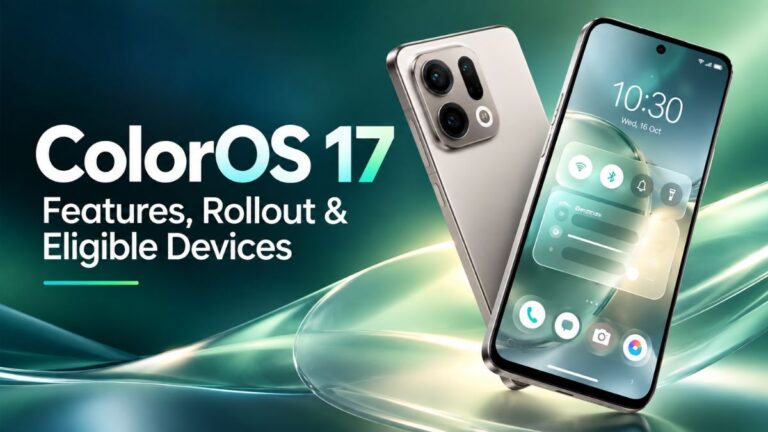
OPPO has officially unveiled ColorOS 17, and this one is a bigger update than usual. It is built on Android 17 and brings a fresh visual style called Fluid Design, two new performance engines, and a long list of AI tools. It is also the first ColorOS version that will run on OPPO, OnePlus and Realme phones as one shared platform.
If you own one of these phones, or you are planning to buy one soon, this guide explains what ColorOS 17 is, what has changed, when the rollout starts and which devices are on the list.
What Is ColorOS 17?
ColorOS is OPPO’s custom version of Android. Think of it as the layer that sits on top of Android and decides how your phone looks and behaves. It controls the home screen, lock screen, notification shade, Control Centre, system apps, animations and settings.
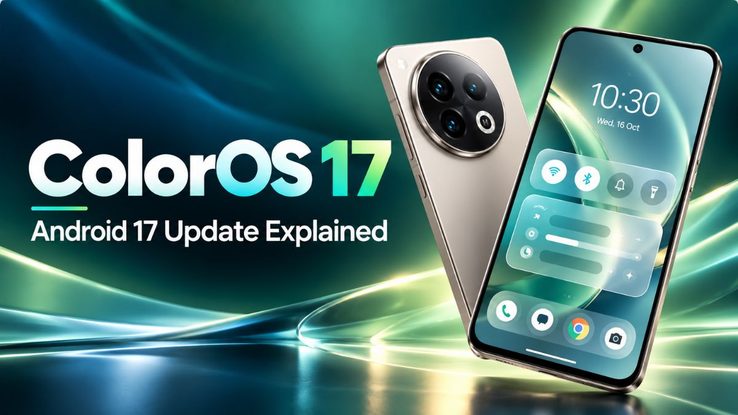
ColorOS 17 is the next major version of this software, and it is based on Google’s Android 17. So along with OPPO’s own changes, you also get the core improvements that come with the new Android release.
One Software for OPPO, OnePlus and Realme
The biggest story here is not a single feature. It is the fact that OxygenOS and Realme UI are being merged into ColorOS. For years, OnePlus had OxygenOS and Realme had Realme UI, even though both were already closely related to ColorOS under the hood.
With ColorOS 17, that separation is going away. OnePlus and Realme users will gradually move to ColorOS-based updates instead of getting separate OxygenOS or Realme UI releases. For users, this should mean more consistent features across all three brands. For OPPO, it means one software team, one codebase and, ideally, faster updates.
People have long debated ColorOS vs OxygenOS and ColorOS vs Realme UI. That debate is now mostly settled, because they are becoming the same thing.
ColorOS 17 Launch and Release Date
OPPO announced ColorOS 17 in China at its developer conference on September 17, 2026. The first stable update wave is scheduled to begin on October 8, 2026, in China.
The OPPO Find X10 series and the OnePlus 16 are expected to be the first phones to ship with ColorOS 17 out of the box. Existing phones will get it through staged updates, which we cover in detail further below.
ColorOS 17 Features: The New Fluid Design
The first thing you will notice after updating is the new look. OPPO calls it Fluid Design, and it is a system-wide visual style built around translucent glass effects, soft contour glow, progressive blur and smoother animations. The aim is to make every part of the phone feel like it belongs to the same design family.
Floating Island Navigation Bar
The navigation bar has been redesigned into what OPPO calls the Floating Island. It is a transparent, pill-shaped bar that floats above whatever is on screen instead of sitting in a fixed strip at the bottom. It works across many of OPPO’s own apps.
It also does more than just navigation. When something is running in the background, it can appear as a small tappable capsule, so you can jump back to it quickly.
Frosted Glass UI Across the System
The frosted glass effect shows up in a lot of places. The Media Player, Control Centre, Notes, Files, lock screen and folders all get translucent styling with a sense of depth. You can see a soft blur of what is behind each panel, which makes the phone feel lighter and more layered.
Fluid Animations That React to Your Touch
ColorOS 17 animations are designed to respond to how you touch the screen. Elements stretch, squeeze and snap back depending on how fast and how hard you swipe. A quick flick feels different from a slow drag.
These animations stay consistent across the lock screen, notifications, search and the floating navigation bar, so moving around the phone feels more connected.
Redesigned Control Centre and Media Player
The Control Centre now looks rounder and softer. Quick toggles are circular, the sliders have been redesigned and the Media Player widget has a rounder shape to match. Combined with the glass effect, it gives the whole panel a cleaner feel.
Lock Screen and Status Bar Changes
The lock screen gets three clock font styles, a colon in the time display and the new glass effects. One nice touch is that the lock screen clock styles can also be used as home screen widgets, so your lock screen and home screen can look matched.
Up top, the status bar has been rearranged. The battery, Wi-Fi and signal icons have moved, and dual-SIM users can choose to show both signal indicators combined or separately.
A Cleaner Phone App
The Phone app has a new dialer layout and larger call buttons. You can swipe up or down to handle calls, and you can reverse those swipe directions if the default does not feel natural. There are also controls for Live Alerts.
ColorOS 17 Performance Improvements
Good looks do not mean much if the phone feels slow. OPPO knows this, and it has added two new systems to ColorOS 17: the Polar Light Engine and the Tidal Engine. Together, they focus on speed, memory use and keeping apps stable in the background.
Polar Light Engine
The Polar Light Engine is about making things faster and lighter. OPPO claims it cuts app start-up time and runtime memory use by about 25%, and lowers the rendering workload by roughly 30%. In simple terms, apps should open quicker and the phone should do less work to draw what you see.
Tidal Engine
The Tidal Engine takes a smarter approach. It learns how you use your apps and then assigns system resources based on those habits. If you open certain apps often, the system can prepare for that, so they feel ready when you need them.
The Numbers OPPO Is Claiming
Here is a quick look at the performance gains OPPO has shared:
| Area | OPPO’s Claimed Improvement |
|---|---|
| Background app stability | 55.6% better |
| App launch stability | 35% better |
| Third-party gallery scrolling and loading | Up to 50% faster |
| App switching | 15% faster |
| App start-up time and memory use | About 25% lower |
| Rendering workload | About 30% lower |
OPPO also says eligible devices should stay smooth for up to six years of use. That is a bold promise, and real-world testing over time will show how well it holds up. Keep in mind that all of these figures come from OPPO itself.
What About Gaming and Battery?
OPPO has not shared separate gaming or battery numbers for ColorOS 17. Still, lower memory use, less rendering work and better resource planning usually help with smoother gameplay and less wasted power. How much difference you actually feel will depend on your phone and how you use it.
ColorOS 17 AI Features Explained
AI is a big part of this update. In China, the features sit under OPPO AI and the Xiaobu assistant. Here are the main tools.
Xiaobu Space and Xiaobu Memory
Xiaobu Space is a dedicated area for your urgent tasks, to-do items, reminders and related information. Instead of digging through different apps, you get one place that pulls the important stuff together.
Xiaobu Memory adds one-click memory recall. The idea is that you can quickly save and later find information you came across on your phone.
Xiaobu Calls and AI Call Anti-Fraud
Xiaobu Calls, also called the AI Call Assistant, brings AI tools right into the call screen. Alongside it is AI Call Anti-Fraud, which flags suspicious callers in real time. With scam calls being such a common problem, this could be one of the more useful additions.
AI Photo Editor, AI Retoucher and AI Memory Gallery
The AI Photo Editor, also known as AI Retoucher, can remove unwanted objects from photos, reduce motion blur and adjust colour and tone. It is handy for fixing shots that are almost good but not quite.
AI Memory Gallery goes a step further and turns your photos into photo blogs, which OPPO calls “Plogs.” It is a simple way to turn a trip or an event into a shareable story.
ColorOS 17 AI Notes
The Notes app has been redesigned with AI in mind. It now includes One-Tap Sharing, Inspiration Cards, meeting transcription and structured knowledge maps. Students and working professionals who take a lot of notes will likely find the transcription and knowledge map features the most useful.
Real-Time Translation With OPPO Earphones
OPPO AI can also work with OPPO earphones for live conversation translation. You talk, the other person hears it in their language, and the reply comes back to you translated. It is a practical feature for travel or for talking with people who speak a different language.
Read More: Adobe Express Premium Explained
ColorOS 17 Eligible Devices: Which Phones Will Get the Update?
The rollout is happening in waves. The list below is for China, where the update starts first.
First Wave: From October 8, 2026
- OPPO Find N6
- OPPO Find X9 series
- OnePlus 15
- OnePlus 15T
- Realme GT 8 Pro
Second Wave: From October 16, 2026
- OPPO Find N5
- OPPO Find X8 series
- OPPO Pad 5 Pro
- OPPO Pad Mini
- OnePlus 13 series
- OnePlus Ace 6 series
- OnePlus Pad 3 Pro
- Realme GT 8 series
- Realme GT 7 Pro
- More devices
Third Wave: November to December 2026
This wave includes devices such as the OnePlus Ace 5 series, Realme GT 7 and Realme Neo 7 series, along with others.
New phones like the OPPO Find X10 series and OnePlus 16 are expected to come with ColorOS 17 already installed.
ColorOS 17 India Release: What to Expect
This is the part most Indian users care about, so let us be clear. Everything above, including the features and the rollout dates, is for the China launch.
OPPO usually changes ColorOS before bringing it to India and other global markets. The AI assistant branding, call features, regional apps and update timing often look different. So the Xiaobu name, for example, may not appear on Indian phones, and some features could be renamed, changed or left out.
As of now, a complete India rollout schedule has not been confirmed. Based on past patterns, Indian users can expect the update some time after the China release, but the exact dates and device list will come from OPPO, OnePlus and Realme India closer to the time.
ColorOS 17 vs ColorOS 16: Is It a Big Upgrade?
Most yearly ColorOS updates bring small visual tweaks and a handful of new tools. ColorOS 17 goes further. The Fluid Design language changes the look of almost every screen, the Floating Island rethinks navigation, and the two new engines target the everyday speed that users notice most.
Add the growing AI toolkit and the merger of OxygenOS and Realme UI, and this feels like a foundation update, one that shapes how OPPO, OnePlus and Realme phones will work for the next few years.
Final Thoughts
ColorOS 17 is one of OPPO’s most ambitious software updates so far. It looks fresher, it promises to run faster and longer, and it brings practical AI features like scam call detection, photo cleanup and live translation. Just as important, it brings OPPO, OnePlus and Realme under one software roof.
The China rollout begins on October 8, 2026, starting with flagships like the Find X9 series, OnePlus 15 and Realme GT 8 Pro. If you are in India, sit tight. The update is coming, but the final features and dates for Indian users are still to be announced.
Frequently Asked Questions
What is ColorOS 17?
ColorOS 17 is OPPO’s Android 17-based software for OPPO, OnePlus and Realme phones. It brings Fluid Design, new performance engines and AI features.
When will the ColorOS 17 rollout start?
The stable rollout in China begins on October 8, 2026, with more devices following on October 16 and through November and December.
Will OnePlus phones get ColorOS 17 instead of OxygenOS?
Yes. OxygenOS and Realme UI are being merged into ColorOS, so OnePlus and Realme phones will move to ColorOS-based updates over time.
When will ColorOS 17 come to India?
OPPO has not confirmed the full India schedule yet. Features and timing may differ from the China version.