


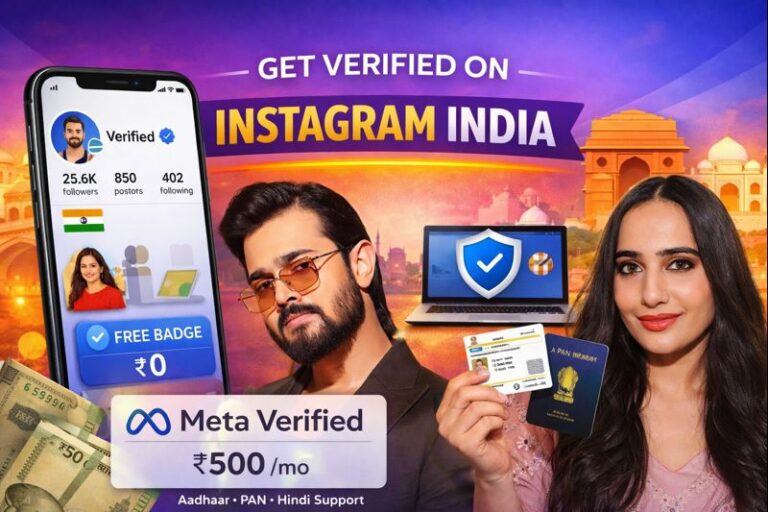
Getting a blue checkmark on Instagram is no longer just about fame. In India, Instagram verification has become an important trust signal—especially for creators in entertainment, cricket, news, SEO, finance, and OTT review niches.
With impersonation scams rising rapidly and India crossing 500 million Instagram users, the blue badge helps audiences instantly identify authentic accounts. Instagram now offers two official verification paths in India:
- Free verification (notability-based)
- Paid Meta Verified subscription
This guide explains how Instagram verification works in India, costs, eligibility, steps, and the latest 2025–2026 updates—using simple, easy language.
Why the Instagram Blue Tick Matters in India
For Indian creators, the blue checkmark does more than look premium.
Key Benefits
- Builds instant credibility with followers
- Protects against fake accounts and impersonation
- Improves brand trust for collaborations
- Helps public figures, journalists, and bloggers stand out
- Signals authentic identity to advertisers and media
This is especially important for creators covering Bollywood, cricket updates, SEO tips, finance news, and viral trends, where fake profiles are common.
Instagram Verification Options Available in India
Instagram currently offers two ways to get verified in India.
1. Free Instagram Verification (Notability-Based)
This is the traditional blue tick given to notable public figures and creators.
Cost: ₹0 (completely free)
Best for:
- Bollywood influencers
- Cricket bloggers
- Journalists
- News commentators
- Public personalities with media coverage
Key Requirements:
- Real person or registered brand
- Unique and complete profile
- Public account
- Must be notable (featured in news media)
- Indian ID like PAN, Aadhaar, or Passport
Instagram checks if you’ve been mentioned by trusted Indian media outlets such as NDTV, India Today, Hindustan Times, or The Hindu.
Self-paid PR articles or promotional posts usually do not qualify.
2. Meta Verified (Paid Subscription)
Meta Verified is a paid verification plan launched for creators and businesses who want faster access and added security.
Monthly Pricing in India:
- ₹500/month (via web – cheapest)
- ₹600–₹639/month (via mobile app)
- Business plans go up to ₹21,000/month
Best for:
- SEO and digital marketing creators
- OTT & movie reviewers
- Regional YouTubers
- Bloggers and content creators
- Small brands and startups
What You Get:
- Blue checkmark
- Identity protection
- Anti-impersonation monitoring
- Priority customer support
- Access to creator tools
- Hindi and regional language support
Comparison: Free vs Meta Verified in India
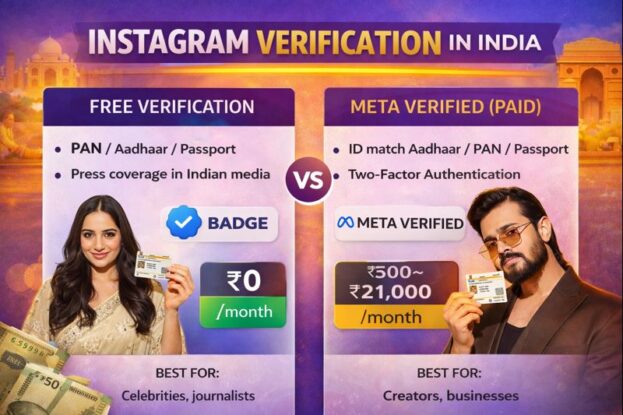
| Feature | Free Verification | Meta Verified |
|---|---|---|
| Monthly Cost | ₹0 | ₹500–₹21,000 |
| Approval Speed | 14–30 days | 24–72 hours |
| Media Coverage Required | Yes | No |
| Government ID | Yes | Yes |
| Protection from Impersonation | Limited | Strong |
| Best For | Celebrities, journalists | Creators, bloggers, businesses |
Also Read: Virat Kohli’s Instagram Account
How to Apply for Free Instagram Verification in India
Follow these steps carefully:
- Switch to a Creator or Business account
- Set your profile to Public
- Go to Profile → Menu → Account type & tools → Request verification
- Enter:
- Full real name
- Category (Blogger, Influencer, Journalist, etc.)
- Upload PAN / Aadhaar / Passport
- Add links to Indian media coverage
- Submit the form
Review Time: 14–30 days
If rejected, you can reapply after 30 days
Tip: Strengthen your chances by getting featured in credible Indian news portals, not sponsored blogs.
Also Read: Amazfit Active Max Price
How to Get Meta Verified in India (Step-by-Step)
Meta Verified is easier and faster.
Steps:
- Enable Two-Factor Authentication (2FA)
- Ensure:
- Real profile photo
- Real name matches ID
- Posting history exists
- Go to Settings → Meta Verified
- Select a plan
- Upload:
- Government ID
- Selfie verification
- Pay using UPI / Debit / Credit card
Badge activation: Within 24–72 hours after approval
Hindi and regional account support is available.
Also Read: Legal Cases Against Donald Trump
Important India Updates (2025–2026)
- Meta Verified expanded to business accounts
- Pricing now ranges from ₹639 to ₹21,000/month
- Strong focus on Hindi and regional creators
- Free verification has become stricter
- Fake “blue tick sellers” and SMM panels are scams
- Instagram actively removes purchased or fake badges
Never pay third-party agents claiming guaranteed verification.
How Indian Creators Can Improve Verification Chances
If you’re applying for free verification:
- Get mentioned in credible Indian media
- Build authority during festivals and trends
(example: #HoliCricketTips, #BudgetExplained) - Collaborate with already verified creators
- Keep bio clean and professional
- Avoid spammy links and fake followers
Consistency + authenticity is key.
Final Verdict: Which Option Should You Choose?
- Go for Free Verification if you already have strong media presence
- Choose Meta Verified if you’re a serious creator, blogger, or business looking for fast credibility and protection
For most Indian creators in SEO, entertainment, OTT reviews, and regional content, Meta Verified at ₹500/month via web offers the best value.