


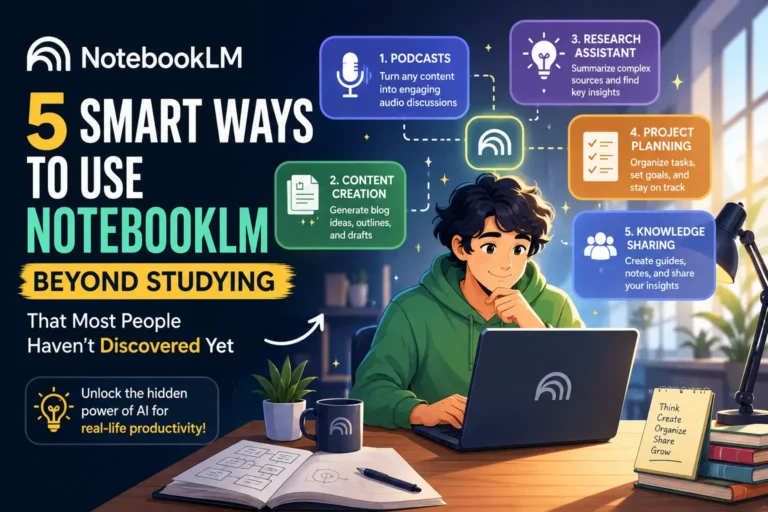
NotebookLM gets unfairly pigeonholed. Most people hear the name and immediately picture students cramming for exams or summarising lecture notes. That’s a fair first impression — but it’s also a massive underestimate of what the tool can actually do.
The real reason NotebookLM stands apart from other AI tools is simple. It doesn’t pull random answers from the internet. It works entirely with the information you upload — your files, your notes, your PDFs, your research. That one difference changes everything about how useful it can be.
Here are five genuinely practical and smart ways to get more out of NotebookLM, completely for free.
5 Smart Ways to Use NotebookLM Beyond Studying — All for Free
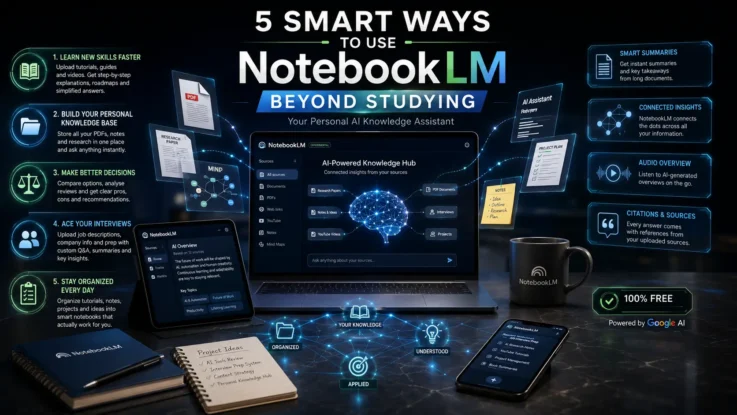
1. Learn New Skills Faster Without Drowning in Tabs
Anyone who has tried to learn something new online knows the problem. There’s no shortage of tutorials, guides, and documentation — the issue is the overwhelming number of them and figuring out which ones actually matter.
Most of us end up with fifteen open tabs, a folder of bookmarks we never revisit, and a growing sense of confusion.
NotebookLM fixes this cleanly. Upload your YouTube transcripts, blog posts, beginner guides, PDFs, or documentation into a notebook, and suddenly all that scattered information lives in one place — and you can talk to it.
You can ask things like “explain this in simpler words,” “what should I learn first,” “create a step-by-step roadmap for beginners,” or “compare these two approaches.” The answers come only from what you’ve uploaded, not random internet sources, which means you’re not getting generic advice — you’re getting answers grounded in the specific resources you’ve already chosen to trust.
For anyone learning video editing, coding, design, AI tools, or anything else with a steep learning curve, this approach genuinely reduces the noise.
2. Build a Personal Knowledge Base That Actually Works
Most of us store information everywhere — Google Docs, screenshot folders, browser bookmarks, download folders, random notes apps. And most of us have lost track of something important at least once because of it.
NotebookLM turns all of that scattered information into something you can actually search and talk to. Upload your PDFs, research notes, meeting documents, project ideas, and articles into a notebook, and instead of manually hunting through folders, you just ask.
“Which document mentioned this idea?” “Summarise all my notes on this project.” “What were the key takeaways from these PDFs?”
It feels less like using storage and more like having a conversation with your own information. For creators, journalists, researchers, freelancers, or anyone dealing with large volumes of content on a daily basis, this is one of the most genuinely useful things you can do with a free AI tool right now.
3. Make Better Decisions Without the Overwhelm
Comparing options — software, gadgets, services, courses, subscriptions — is exhausting. You open too many tabs, read too many conflicting opinions, and often end up more confused than when you started.
NotebookLM makes this process much cleaner. Gather your research first — Reddit threads, reviews, product comparisons, official documentation, user feedback — and upload all of it into a single notebook. Then ask the tool to help you make sense of it.
“List the pros and cons of each option.” “Which one suits beginners better?” “Summarise the most common complaints.” “Which tool matches my specific workflow?”
The important thing is that every answer comes only from what you’ve uploaded. You’re not getting the AI’s general opinion — you’re getting a synthesis of the actual research you’ve done. You still make the final call, but the information overload is gone.
4. Prepare for Job Interviews More Thoroughly
Job interviews are nerve-wracking for almost everyone, regardless of experience level. The difference between a good interview and a great one usually comes down to preparation.
NotebookLM can become a surprisingly effective interview prep tool. Before any interview, upload the job description, company website pages, recent news articles, annual reports, blog posts, and anything else relevant. Then ask the tool to help you break it down.
“What are this company’s current priorities?” “What questions might they ask based on this role?” “How does my background fit what they’re looking for?” “Summarise the company culture from these sources.”
Instead of spending hours piecing things together from multiple sources, you get a clear, organised picture of the company in minutes. NotebookLM also has an audio overview feature, which means you can listen to summaries rather than just reading them — useful if you want to review your prep on the go.
5. Keep Your Tutorials, PDFs, and Notes Organised in One Place
This one sounds simple, but it solves a problem that quietly affects almost everyone who tries to learn or work online.
Most people collect learning material far faster than they actually use it. Half-watched tutorials. PDFs saved with good intentions. Notes that were important at the time and completely forgotten a week later.
NotebookLM lets you create separate notebooks for separate goals — career learning, personal projects, interview prep, long-term ideas, productivity research — and inside each one, everything is stored, organised, and interactive.
The difference from regular storage is the AI layer sitting on top of it. You’re not just saving things. You can summarise long documents, pull out key points, connect related ideas across different files, and ask questions in plain language. That makes the information you’ve collected feel actually usable rather than just archived and forgotten.
Also Read: UFS 5.0 Explained — The Upgrade That Will Make Every App Feel Faster
NotebookLM works best when you stop thinking of it as a tool for students and start thinking of it as a personal information assistant that only works with what you give it. That constraint — working only from your uploads — is actually its greatest strength. It keeps the answers relevant, grounded, and specific to what you actually need.
All five of these use cases are available on the free tier. There’s no real reason not to try it.