


If you’re one of the many Android users who downloaded Outlook Lite because your phone doesn’t have a lot of storage or your internet connection isn’t always the fastest — you need to pay attention to this.
Microsoft has confirmed that Outlook Lite will stop working completely on May 25, 2026. After that date, the app won’t let you access your emails, your calendar, or your attachments. It might still open on your phone, but it essentially becomes a useless icon on your screen.
You have until May 25. Here’s what that means and what you should do.
What Was Outlook Lite, and Why Did People Use It?
When Microsoft launched Outlook Lite, the idea was straightforward — give people in emerging markets or people with budget Android phones a way to access their email without the full Outlook app eating through their storage and running slowly on older hardware.
It worked. The app was small, fast, and did the basics well. You could read and send emails, check your calendar, and handle attachments without your phone struggling. For someone with 16GB of storage and a mid-range processor, it was genuinely the better option compared to the full version.
It became popular in India, parts of Africa, Southeast Asia, and other regions where high-end smartphones aren’t the norm and data connections can be inconsistent. For everyday email needs, it did exactly what it needed to do.
So Why Is Microsoft Shutting It Down?
The short answer is consolidation.
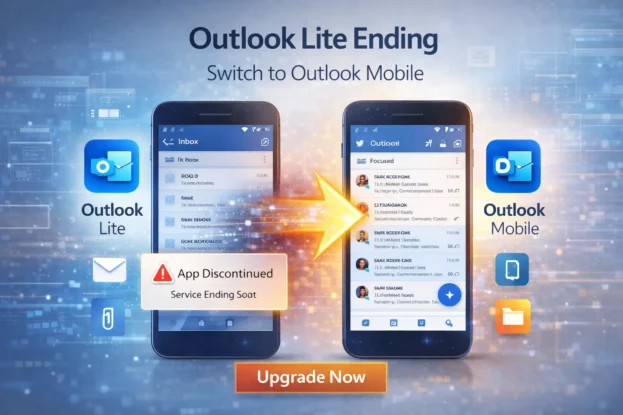
Microsoft has decided it would rather put all its resources into one well-maintained Outlook app than maintain two versions that do roughly the same thing. From a development perspective, that makes sense — every security update, every new feature, every bug fix has to be built and tested twice when you’re running parallel apps. Collapsing everything into a single product simplifies that significantly.
The company’s broader strategy has been moving in this direction for a while — fewer standalone apps, more integrated platforms that do everything in one place. Outlook Lite was always going to be a temporary solution while smartphone specs in developing markets caught up. That catching-up has happened enough that Microsoft feels comfortable pulling the plug.
What Exactly Happens on May 25?
On May 25, 2026, Outlook Lite’s core functions will be switched off. You won’t be able to send or receive emails. Your calendar won’t load. Attachments won’t open.
Microsoft has already stopped allowing new downloads of the app — if you try to find it on the Play Store now, it’s gone. Existing users can still use it until the deadline, but the writing is clearly on the wall.
After May 25, the app becomes completely non-functional for practical purposes. Your emails and data aren’t going anywhere — your account stays intact — but you simply won’t be able to access any of it through Outlook Lite anymore.
What Should You Do Right Now?
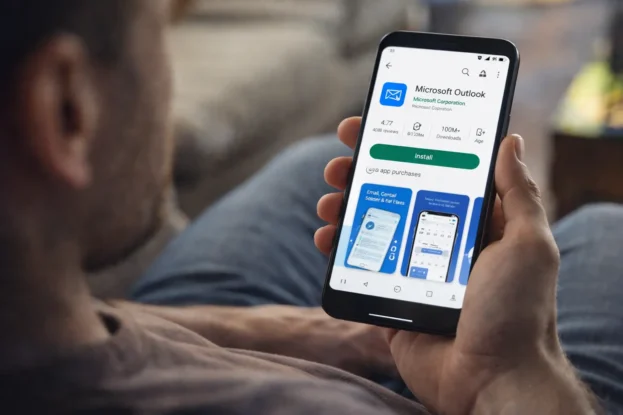
Download Outlook Mobile from the Google Play Store if you haven’t already.
The transition is actually simple from a data perspective. Sign in with the same email address and password you used for Outlook Lite, and everything carries over — your emails, your contacts, your calendar events, your folders. Nothing gets deleted. You’re just logging into the same account through a different app.
The switch itself takes a few minutes. The adjustment to the new interface might take a little longer, but the full Outlook app isn’t dramatically different in how it handles email — it just has more features available to you.
The Honest Challenges of This Switch
It would be unfair not to acknowledge that this transition is genuinely inconvenient for some users — particularly the ones Outlook Lite was designed for in the first place.
If you’re on a phone with limited storage, the full Outlook Mobile app takes up considerably more space. If your device is older or has a slower processor, it may not run as smoothly as the lightweight version did. These are real constraints that Microsoft’s consolidation strategy doesn’t make disappear just because it makes business sense for the company.
| Feature | Outlook Lite | Outlook Mobile |
|---|---|---|
| App size | Very small | Larger |
| Performance on older devices | Optimised | More demanding |
| Features | Basic email and calendar | Full productivity suite |
| Storage usage | Low | Moderate to higher |
| Status | Shutting down May 25, 2026 | Active and supported |
If you find that the full Outlook app runs poorly on your current device, there are a few things worth trying — clearing storage space before installing it, closing background apps to free up RAM, and checking whether your Android version is up to date. These steps don’t always fully solve the problem on very old hardware, but they help.
If none of that works satisfactorily, it may be worth looking at alternative lightweight email clients that support Microsoft accounts — apps like Gmail (which handles Outlook accounts), or other third-party clients designed for lower-end devices.
Also Read: France Is Ditching Microsoft Windows for Linux — Here’s Why It Matters More Than You Think
Your Data Is Safe
The most important thing to clarify: your emails are not going anywhere.
Microsoft has been clear that shutting down Outlook Lite has no impact on user accounts or stored data. Everything that’s in your inbox, your sent folder, your calendar — it all stays exactly where it is. The shutdown is about the app, not the account. As long as you sign in to any email client that supports your Microsoft account, you’ll have full access to everything.
A Shift That Signals What’s Next
What’s happening with Outlook Lite is part of a broader pattern in how major tech companies are managing their app portfolios. The era of launching lightweight companion apps for every market condition is giving way to a preference for single, more capable apps that are expected to work across a wider range of devices.
Whether that’s the right call for users in markets where entry-level devices are still the norm is a fair question. The argument from Microsoft’s side is that smartphone specs have improved enough globally that the compromise of a stripped-down app is no longer necessary. The counter-argument is that for a meaningful portion of the user base Outlook Lite served, that assumption isn’t quite right yet.
Either way, the decision has been made. May 25 is the date. If you’re still on Outlook Lite, the time to switch is now — not the week before the deadline when everyone else is doing the same thing.
Download Outlook Mobile, sign in, and you’re done. It takes less time than reading this article took.