

Close Menu
FlickonclickFlickonclick
    Facebook X (Twitter) Instagram Pinterest
    FlickonclickFlickonclick
    Facebook X (Twitter) Instagram
    Contact Us
    • Home
    • Entertainment
      • OTT
        • Amazon Prime Video
        • Amazon miniTV
        • Amazon MX Player
        • JioHotstar
        • Netflix
        • ShemarooMe
        • SonyLiv
        • ULLU App
        • Zee5
      • Reviews
        • Movie Reviews
        • Web Series Review
      • Cast Salary & Budget
      • Music
      • Box Office Collection
      • Celebrity
        • Biography Corner
        • Photos
        • Wealth
    • Lifestyle
      • Dating & Relationships
      • Fashion
      • Product Reviews
      • Travel
      • Food
      • Fitness
    • Technology
      • Smartphones
    • Finance
      • Cryptocurrency
      • Startups
    • Sports
    • Latest News
      • India
      • Global
      • Trending
    • More
      • About Us
      • Advertise with Us
      • Contact Us
      • Privacy Policy
      • Disclaimer
      • Cookie Policy
    FlickonclickFlickonclick
    Home » Finance » Haven’t Received Your ITR Refund Yet? File a Refund Reissue Request Now – Step-by-Step Guide
    Finance

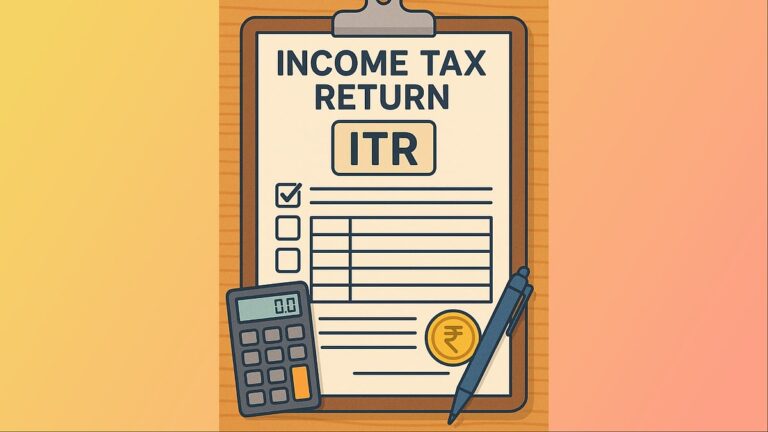
    Haven’t Received Your ITR Refund Yet? File a Refund Reissue Request Now – Step-by-Step Guide

    By Virat VermaSeptember 27, 2025
    Facebook Twitter WhatsApp Email
    Haven’t Received Your ITR Refund Yet? File a Refund Reissue Request Now – Step-by-Step Guide

    After filing their Income Tax Return (ITR), taxpayers eagerly wait for their refund. Many people receive the refund quickly, but sometimes it gets delayed or even fails. This often leaves taxpayers worried about why their money hasn’t arrived.

    The Income Tax Department has clarified that if your refund has not been credited, you can submit a Refund Reissue Request. This facility is available online, so you don’t need to visit any office.

    What to Do If Your Refund Fails?

    Sometimes, the refund fails even when the taxpayer has not made any mistake. In such cases, the first step is to check your refund status on the e-filing portal. If the portal shows “Refund Failed,” you can immediately place a Refund Reissue Request.

    Also Read-: There May Be Delay in ITR-2, ITR-3 Refund, Know Here When You Will Get ITR Refund?

    Step-by-Step Process for Refund Reissue Request

    If your refund has been stuck, you can easily submit a reissue request on the Income Tax Department’s website by following these steps:

    1. Log in to the Income Tax e-filing portal.
    2. Go to Services and select Refund Reissue.
    3. Click on Create Refund Reissue Request.
    4. Select the record for which you want to submit the request.
    5. Choose the bank account where you want the refund.
    6. If the account is not validated, complete the validation first.
    7. Click on Proceed to Verification.
    8. Complete e-verification using Aadhaar OTP, EVC, or DSC.
    9. Click Continue, and your request will be submitted successfully.

    How Long Does It Take to Get a Refund?

    According to the Income Tax Department, refunds are generally processed within 4–5 weeks. However, this is possible only if you have not just filed the ITR but also e-verified it. Without e-verification, the refund will not be released.

    Why Can a Refund Fail?

    There are several reasons why a refund may fail:

    • Wrong account number entered
    • Errors in IFSC code
    • Bank account not validated
    • Name mismatch between PAN and bank account
    • PAN not linked with Aadhaar

    Importance of PAN–Aadhaar Linking

    Linking your PAN with Aadhaar is now mandatory. If this is not done, your refund may get blocked. Make sure to link PAN and Aadhaar before submitting a Refund Reissue Request.

    Importance of E-Verification

    E-Verification is the most important step in the refund process. Without it, your ITR is considered incomplete, and no refund will be issued. You can complete e-verification through Aadhaar OTP, Net Banking, EVC, or DSC.

    Why Is Bank Account Validation Necessary?

    Also Read: Best Stocks to Buy This Month

    If your bank account is not validated on the e-filing portal, the refund cannot be transferred to it. Always ensure that the bank account where you expect the refund is correct and validated.

    ITR Filing ITR Refund
    Previous ArticleJanaawar – The Beast Within Review: Crime Drama That Digs Deep
    Next Article Alice in Borderland Season 4: What We Know About the Release Date
    Virat Verma

      As Senior Head Writer at Flickonclick, he specializes in news coverage across entertainment, sports, and trending topics. With years of experience in digital journalism, he focuses on delivering timely and accurate stories that are easy to understand. His approach to writing is straightforward—breaking down complex news into clear, engaging content that keeps readers informed. Whether it's breaking entertainment updates, sports highlights, or trending headlines, he ensures every article is well-researched and reader-friendly.

      Related Posts

      Finance November 20, 20252 Mins Read

      Why Your ITR Refund Is Delayed and How You Can Get Interest on It

      India September 2, 2025Updated:February 16, 20262 Mins Read

      From ITR Filing to LPG: 6 Major Changes in September That Will Impact Your Pocket

      Finance August 14, 20253 Mins Read

      ITR Filing 2025-26 Deadline: Only a Few Days Left! Delay May Attract Penalty – Know Your Last Options

      Finance August 11, 20253 Mins Read

      ITR Filing: Why the Due Date and Last Date Are Different

      Finance July 29, 20252 Mins Read

      New Income Tax Rules in India: Special Codes for Social Media Influencers, Traders and Commission Agents

      Finance July 28, 20252 Mins Read

      ITR Filing 2025: What is the Last Date for You? Deadlines for Salaried Individuals, Business Owners and Professionals

      Finance July 14, 20253 Mins Read

      Excel Utility for ITR-2 and ITR-3 Released, Making ITR Filing Easier for Taxpayers

      Finance July 9, 20253 Mins Read

      ITR Filing 2025: Make Sure to Check These Two Things Before Filing Your Income Tax Return – Or You May Get a Notice Immediately

      Latest Articles

      5 Easy Ways to Keep Your Laptop Cool While Gaming and Working

      June 15, 2026

      12 Unknown Facts About Tara Sutaria

      June 15, 2026

      Noida International Airport Begins Passenger Flights; First IndiGo Service Arrives From Lucknow

      June 15, 2026

      Who Is Pranjali Awasthi? The Teen AI Founder Behind a ₹100 Crore Startup

      June 15, 2026

      Drishyam 3 OTT Release Date: When and Where to Watch Mohanlal’s Blockbuster Thriller Online

      June 15, 2026

      Best Apps to Watch FIFA World Cup 2026 Live in India on Mobile and TV

      June 15, 2026

      7 Hidden USB-C Features on Your Laptop You Probably Never Knew

      June 14, 2026

      Ab Hoga Hisaab Series Budget and Cast Salary: Financial Breakdown of Sanjay Kapoor and Mouni Roy’s New OTT Revenge Drama

      June 14, 2026

      Estadio Monterrey: Why BBVA Stadium Is One of FIFA World Cup 2026’s Most Advanced Football Venues

      June 14, 2026

      Estadio Akron: Why Guadalajara Is One of Mexico’s Most Important FIFA World Cup 2026 Stadiums

      June 14, 2026
      About Flickonclick

      Flickonclick brings you the latest updates across entertainment, lifestyle, tech, and more. Stay informed with trending news and stories that matter.

      Facebook X (Twitter) Instagram
      Latest Articles
      • 5 Easy Ways to Keep Your Laptop Cool While Gaming and Working
      • 12 Unknown Facts About Tara Sutaria
      • Noida International Airport Begins Passenger Flights; First IndiGo Service Arrives From Lucknow
      • Who Is Pranjali Awasthi? The Teen AI Founder Behind a ₹100 Crore Startup
      Important Links
      • About Us
      • Advertise with Us
      • Contact Us
      • Cookie Policy
      • Disclaimer
      • Home
      • Privacy Policy
      • Terms & Conditions
      © 2026 Flickonclick. All Rights Reserved

      Type above and press Enter to search. Press Esc to cancel.