


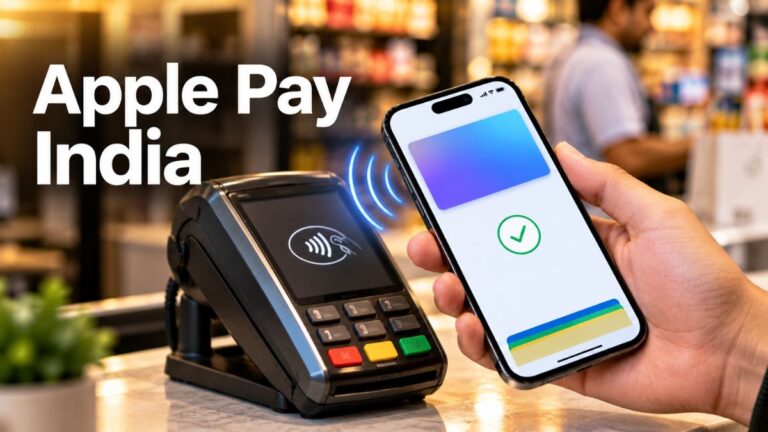
For years, owning an iPhone in India came with a small, slightly awkward moment at the billing counter. You’d pull out a phone that costs as much as a used scooter, and then… reach for your wallet anyway. Apple Pay worked in dozens of countries, but not here.
That changes now.
Apple Pay launched in India on September 30, 2026, and the first bank on board is Axis Bank. If you have the right card and the right device, you can now tap your iPhone or Apple Watch to pay in stores, and pay inside apps and on websites with just your face or fingerprint.
But before you get too excited, there are a few catches. It doesn’t support UPI. It doesn’t take RuPay cards. And right now, it only works with one bank’s credit cards.
In this guide, I’ll walk you through everything: what Apple Pay is, which cards work, how to set it up step by step, where you can actually use it, and what to do when it refuses to cooperate.
What Is Apple Pay, and Why Does It Matter in India?
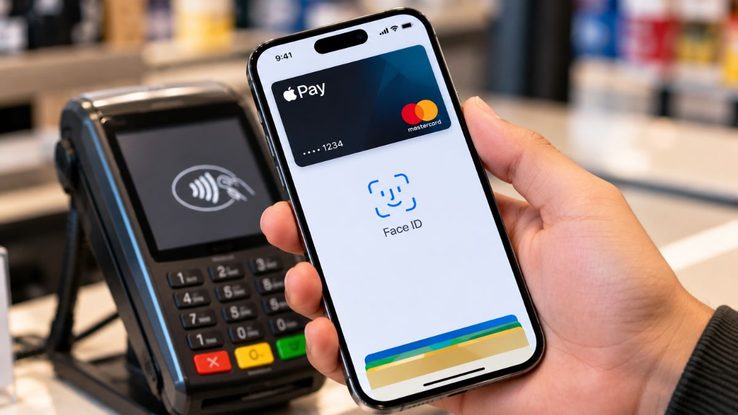
Apple Pay is Apple’s built-in payment service. It lives inside the Wallet app on your iPhone, Apple Watch and iPad. You add your card once, and after that, your device becomes your card.
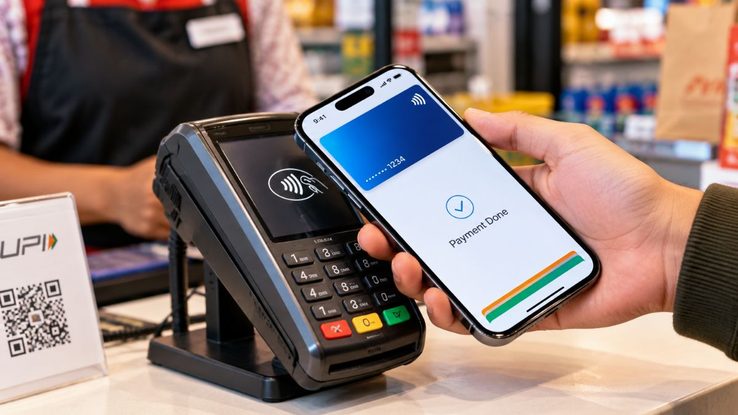
Instead of swiping, inserting or typing a PIN, you simply:
- Hold your iPhone near a card machine, or
- Tap the Apple Pay button inside an app or on a website
Then you confirm with Face ID, Touch ID or your passcode. Done.
Now, you might be thinking, “We already have UPI. Why do I need this?” Fair question. I’ll get to the Apple Pay vs UPI debate a bit later, but the short answer is this: Apple Pay isn’t here to replace UPI. It’s here to replace pulling out your credit card.
Is Apple Pay Available in India?
Yes, it finally is. Apple Pay went live in India on September 30, 2026, with Axis Bank as the first card partner.
At launch, it only supports eligible Axis Bank Visa and Mastercard credit cards. So if you have an Axis Bank credit card on either of those networks, you’re in. If not, you’ll have to wait for more banks to join.
Apple Pay India Supported Cards and Banks
Here’s the quick breakdown of what works and what doesn’t right now:
| Card or Payment Type | Supported at Launch? |
|---|---|
| Axis Bank Visa credit cards | ✅ Yes (eligible cards) |
| Axis Bank Mastercard credit cards | ✅ Yes (eligible cards) |
| Credit cards from other banks | ❌ Not yet |
| Debit cards | ❌ Not confirmed at launch |
| RuPay cards | ❌ No |
| UPI | ❌ No |
A few things worth pointing out:
Debit cards: The initial rollout is only for credit cards. If you’re hoping to use your debit card, keep an eye on your bank’s app or Apple Wallet for updates.
RuPay: This one stings a little, since RuPay cards are so common in India. But for now, they’re not supported.
Other banks: Axis Bank is the first. It’s likely more banks will follow, but nothing is confirmed yet. So if your favourite card is from another bank, patience is the name of the game.
What You Need Before Setting Up Apple Pay
Before you start tapping buttons, make sure you have these ready:
- An eligible Axis Bank Visa or Mastercard credit card
- A compatible Apple device, such as an iPhone, Apple Watch or iPad
- An Apple Account signed in on your device
- A screen lock with Face ID, Touch ID or a passcode
There’s one more step that a lot of people will miss, so I’m putting it in bold:
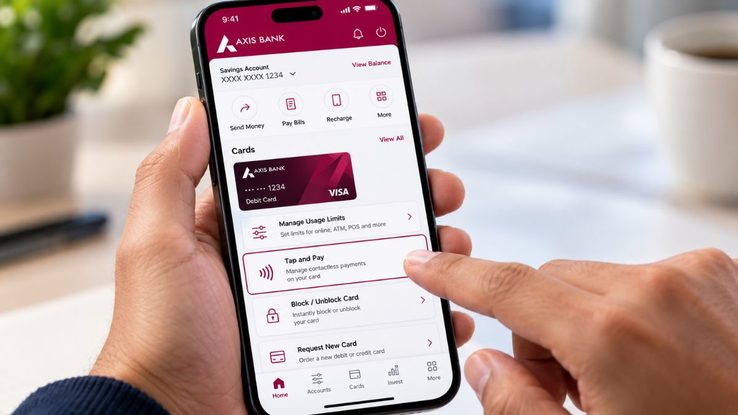
Turn on Tap and Pay in your Axis Bank app. Axis Bank recommends enabling Tap and Pay under the Manage Usage Limits section of your card in the Axis Mobile Banking app. If you skip this, your in-store payments might fail, and you’ll be standing at the counter wondering what went wrong.
How to Add Axis Bank Card to Apple Pay
There are two ways to do this. Both are quick. Pick whichever feels easier.
Method 1: Add Your Card Through the Axis Mobile Banking App
This is the easiest route, in my opinion, because the bank app already knows your card.
- Update the Axis Mobile Banking app and sign in.
- Open your eligible Axis Bank credit card.
- Tap Add to Apple Wallet.
- Follow the on-screen verification and confirmation steps.
- Once it’s added, your card is ready to use with Apple Pay right away.
Method 2: Add Your Card Through the Wallet App
If you prefer doing it the Apple way:
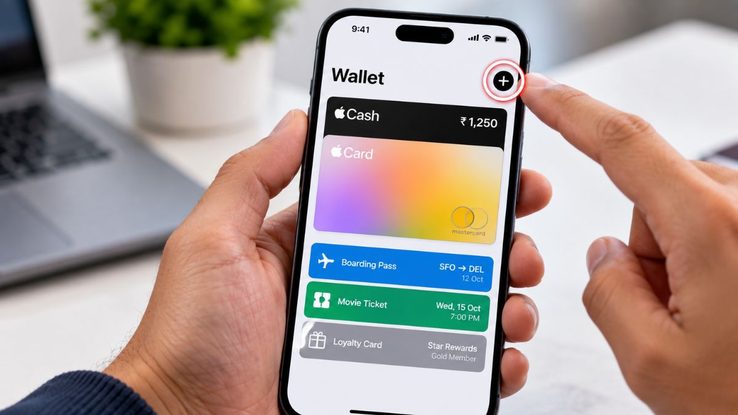
- Open the Wallet app on your iPhone.
- Tap the + button.
- Choose Debit or Credit Card (or the card option shown).
- Scan your Axis Bank card with the camera, or type the details manually.
- Complete the bank’s verification steps.
- Check that the card now shows up in Wallet before you try paying with it.
That’s really all there is to how to activate Apple Pay in India. The whole thing takes a couple of minutes, which is less time than it takes to find your card in a crowded wallet.
How to Use Apple Pay in India
Now for the fun part: actually paying.
Paying in Shops with Your iPhone
This is where Apple Pay feels a little bit like magic.
- First, check that the store has a contactless card terminal. (Look for the small wave symbol.)
- On an iPhone with Face ID, double-click the Side button. On an iPhone with Touch ID, use the Home button.
- Confirm with Face ID, Touch ID or your passcode.
- Hold the top of your iPhone near the card machine until you see the payment confirmation.
Here’s the best bit: reports on the India rollout say you don’t need to type a card PIN or wait for an OTP at checkout. Your face or fingerprint does the job. If you’ve ever stood at a counter waiting for an OTP that just won’t arrive, you’ll appreciate this more than anyone.
Related Article: Everything About ColorOS 17 Update
Paying with Apple Pay on Apple Watch
Apple Pay on Apple Watch in India works on the same idea. Use your watch’s side-button payment flow, then hold the watch near the terminal. No phone needed. It’s the closest thing to paying by waving your wrist like a Bollywood hero making an entry.
Paying in Apps and on Websites
Apple Pay isn’t just for shops. You can also use it for online payments, as long as the app or website offers it.
- At checkout, look for the Apple Pay button.
- Choose your Axis Bank card saved in Apple Wallet.
- Check the amount, delivery address and contact details.
- Approve the payment with Face ID, Touch ID or your passcode.
- Wait for the confirmation screen before you close the app or browser.
One small tip: just because a website accepts cards doesn’t mean it supports Apple Pay. The site has to specifically show the Apple Pay option.
Where Can You Use Apple Pay in India?
This is probably the question you care about most. Here’s a clear look:
| Where You’re Paying | How It Works | Examples in India |
|---|---|---|
| Contactless shops | Tap your iPhone or Apple Watch on an enabled terminal | Apple Store locations, Croma, Reliance brands, Chaayos |
| Mobile apps | Choose Apple Pay at checkout and confirm on your device | Blinkit, Zomato, Tata 1mg, Ixigo |
| Websites | Select Apple Pay on supported checkout pages | Participating online merchants |
| Unsupported places | Use another payment method | UPI-only QR payments, non-enabled terminals |
Apple Pay Accepted Merchants in India
At launch, brands that support Apple Pay in India include:
- Apple Store locations
- Blinkit
- Chaayos
- Croma
- Interflora
- Ixigo
- Reliance brands
- Tata 1mg
- Zomato
And more should join over time. So yes, you can now order your late-night Zomato biryani or grab a Chaayos chai with a double-click and a glance. Life is good.
Keep in mind that support can vary from store to store and terminal to terminal. Your neighbourhood kirana shop with just a UPI QR code won’t be accepting Apple Pay any time soon.
Apple Pay vs UPI: Does Apple Pay Support UPI in India?
Let’s clear this up once and for all. No, Apple Pay does not support UPI in India at launch. You can’t use it to scan a UPI QR code, and you can’t link your bank account through UPI.
So how does it compare with apps like Google Pay and PhonePe? Here’s a simple view:
| Feature | Apple Pay (India) | UPI Apps (Google Pay, PhonePe) |
|---|---|---|
| Payment method | Credit card (Axis Bank at launch) | Bank account via UPI |
| How you pay in stores | Tap on a contactless card terminal | Scan a QR code |
| Works at small local shops | Only if they have a contactless card machine | Almost everywhere |
| Authentication | Face ID, Touch ID or passcode | UPI PIN |
| Devices | iPhone, Apple Watch, iPad | Android and iPhone |
Think of it this way: UPI is your everyday rickshaw. It goes everywhere, it’s cheap and it’s reliable. Apple Pay is more like a comfortable cab ride. Smooth and quick, but only where the roads allow it.
My honest advice? Keep UPI as your backup. Use Apple Pay where it’s accepted, especially at bigger stores and in apps, and stick with UPI everywhere else.
Is Apple Pay Secure?
Short answer: yes, and in some ways it’s safer than using your physical card.
Here’s why:
- Your real card number isn’t shared with merchants. Apple Pay uses a device-specific payment identifier instead.
- Every payment needs your face, fingerprint or passcode. So even if someone gets hold of your phone, they can’t just tap and pay.
- Apple and your bank check card eligibility and use relevant information to help prevent fraud.
That said, security also depends on you. A few simple habits go a long way:
- Never share your iPhone passcode with anyone.
- Always check the merchant name and amount before approving a payment.
- Use the Wallet app to keep track of and manage your cards.
Apple Pay Not Working in India? Here’s What to Check
If Apple Pay is giving you trouble, don’t panic. Here are the most common reasons.
Your Card Is Not Showing in Apple Wallet
This usually happens because:
- The card is not supported or not eligible for Apple Pay
- The card is inactive
- The bank needs to verify it first
What to do: Make sure it’s an eligible Axis Bank Visa or Mastercard credit card. Then update both the Axis Mobile Banking app and your iPhone’s software, and try again.
In-Store Payments Keep Failing
What to do: Open the Axis Mobile Banking app and check that Tap and Pay is turned on under Manage Usage Limits. Also, make sure the store’s terminal actually supports contactless payments.
Apple Pay Option Is Missing at Online Checkout
What to do: The website or app may simply not support Apple Pay yet. Use another payment method for now.
Can You Use Apple Pay Outside India?
It depends on two things:
- Whether your card issuer allows international transactions
- Whether the merchant accepts Apple Pay or contactless card payments
Apple Pay availability also varies by country. So before you travel, check that international usage is turned on for your card in the Axis Bank app.
Quick Tips to Get the Most Out of Apple Pay
- Start with a supported card. Confirm your Axis Bank card is eligible before setting up.
- Turn on Tap and Pay. This avoids failed payments in shops.
- Look for the wave symbol on card machines before tapping.
- Check for the Apple Pay button online. Card acceptance alone doesn’t mean Apple Pay works.
- Keep UPI handy for places that don’t support Apple Pay.
- Use Wallet as your hub. It also stores tickets, transit cards and other supported passes.
Final Thoughts
Apple Pay’s India launch is a big moment, even if it’s a slightly small start. Right now, it only works with Axis Bank Visa and Mastercard credit cards, it doesn’t support UPI or RuPay, and it needs contactless terminals or supported apps to work.
But when it works, it’s genuinely brilliant. No card swiping, no PIN typing, no waiting for OTPs. Just a double-click, a glance and you’re done.
If you already have an eligible Axis Bank credit card, set it up today and give it a try at your next Croma visit or Zomato order. If you don’t, keep watching. More banks are likely to join, and when they do, Apple Pay could become a regular part of how we pay in India.
Have you tried Apple Pay yet? Tell me in the comments where you used it first and how it went. And if this guide helped you, share it with the iPhone user in your family who still carries three cards in their phone cover.
Frequently Asked Questions
Which cards work with Apple Pay in India?
At launch, only eligible Axis Bank Visa and Mastercard credit cards are supported.
Does Apple Pay support RuPay cards?
No, RuPay cards are not supported at launch.
Can I use Apple Pay with a debit card in India?
The initial rollout is for credit cards only. Check your bank or Apple Wallet for future debit card updates.
Which devices support Apple Pay in India?
It works on compatible iPhone, Apple Watch and iPad devices.
Does Apple Pay need a PIN or OTP for every payment?
No. You confirm payments with Face ID, Touch ID or your passcode, and reports say you don’t need to enter a card PIN or OTP at checkout.