


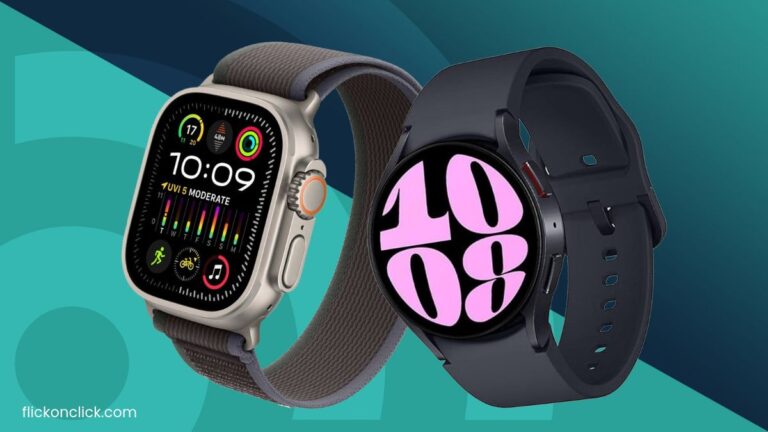
Buying a smartwatch is fun until you find out it does not work with your phone. It happens more often than you think, and it is easy to avoid. Before you look at battery life, sensors, or price, check one thing: does the watch work with the phone you already own?
Four steps to a safe pick
- Match the operating system. This comes first. iPhone owners should lean towards the Apple Watch. Android users should look at Wear OS watches or other brands that support Android.
- Check the requirements. Look at the phone software version the watch needs, the setup app, any account you must create, and whether features are limited in your country.
- Filter by full feature access. Keep only the watches that give you everything on your type of phone, not a trimmed version.
- Compare the models. Now you can weigh the usual things: health claims, water resistance, case size, price, battery life, health sensors, and GPS or sports modes. Prefer health claims that are verified, not just printed on the box.
Why Apple Watch and Android do not mix
An Apple Watch needs an iPhone and the Watch app to be set up and used. There is no way to pair it with an Android phone. The report says Apple built the watch to depend on the iPhone for activation, updates,, and core features, and ties it closely to Health, Messages, Apple Pay, and iCloud. That makes it an iPhone accessory, not a general smartwatch.
Without that iPhone link, you lose a lot. The report lists no message or call syncing, no notifications from an Android phone, no app installs or updates, no watchOS updates, no Health or iCloud sync, and no way to move fitness data into Android health apps. In plain words, it will not be useful.
What Android users can choose
Android users have plenty of options. The report names Wear OS watches such as the Pixel Watch 5, Galaxy Watch 9, and OnePlus Watch 3, and watches with their own systems such as the Garmin Venu 4 and Amazfit Balance 2.
There is a trade-off. Wear OS watches usually bring richer apps and features like direct replies, but you will charge them more often. Watches with their own systems give up some features for longer battery life. If you might switch between Android and iPhone one day, look for a cross-platform model so you do not have to replace the watch with the phone.
A few extras worth a look
Your phone’s software matters too. If you use a Samsung phone, our guide to the Samsung One UI 9.5 beta in India shares 5 features to try.
New launches can change your shortlist as well. Xiaomi planned a global launch of its new wearables for November 17, and our article on the Xiaomi Watch S5 41mm, Smart Band 11 and Clip Earbuds covers what to expect.
As watches and phones get more AI features, safe testing becomes important. Google even built a fake internet to test its Chrome AI agents, which you can read about in our piece on Mirror Dimension.
Start with your phone. Confirm the requirements. Then compare the details. Follow those steps, and you will end up with a watch that works from day one.