


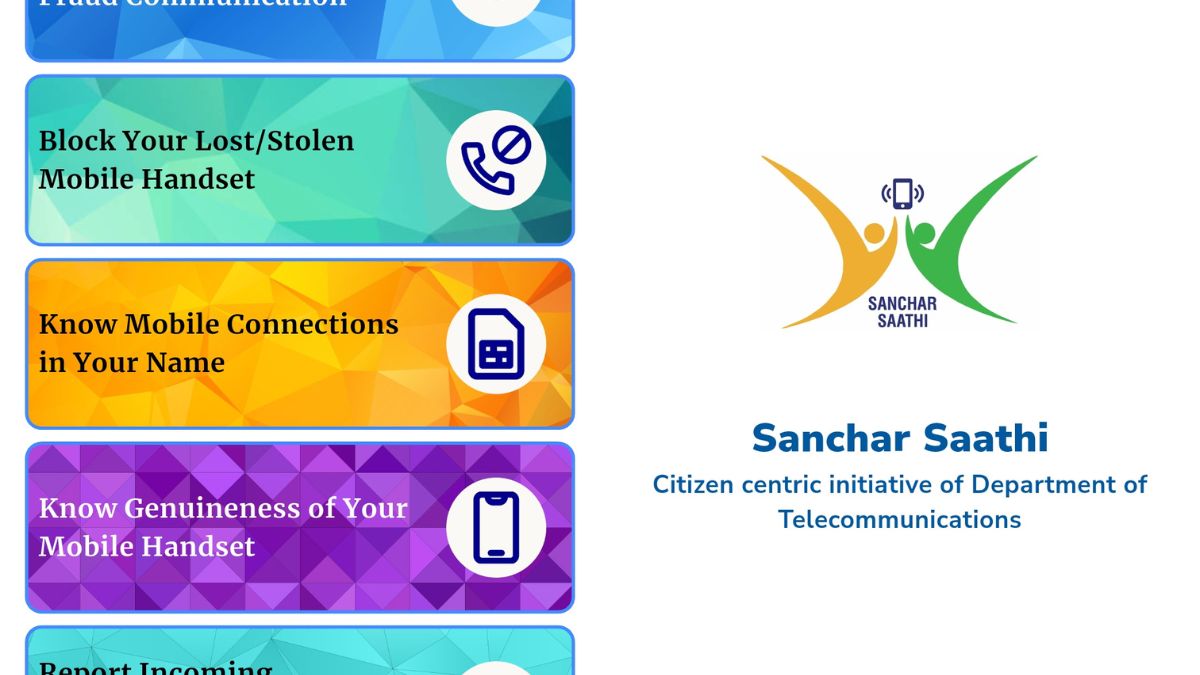
Sanchar Saathi App is India’s official mobile security application launched by the Department of Telecommunications (DoT). Think of it as your personal bodyguard against phone-related crimes.
You can use it as a free mobile app or visit the web portal at sancharsaathi.gov.in. The goal is simple – help you stay safe from telecom fraud, verify if your phone is genuine, and block stolen devices.
Why Was It Created?
Cybercrime is growing fast in India. Scammers use fake calls, phishing messages, and stolen phones to cheat people every day.

The government needed a one-stop solution. So they built Sanchar Saathi to fight problems like number spoofing, fake KYC requests, and phone theft.
Key Features That Actually Help You
1. Chakshu – Your Fraud Reporter
This feature lets you report suspicious activity directly to the authorities.
You can flag spam calls, fake SMS messages, WhatsApp scams, or phishing links. If someone sends you a fake bank message or a suspicious KYC update request, just report it through Chakshu.
2. Check Connections on Your Name
Ever wondered if someone registered a mobile number using your identity? This tool shows you all connections linked to your name.
It’s incredibly useful to catch identity theft early. Many people discover unauthorized SIM cards this way.
3. Block Stolen or Lost Phones
Lost your phone? You can block it nationwide using its IMEI number.
The IMEI is your phone’s unique identification number. Just dial *#06# to find it, or send “KYM <IMEI>” via SMS to 14422.
Once blocked, the phone becomes useless even if someone puts a new SIM card in it.
4. Verify Your Handset
Worried your phone might be fake or smuggled? The app can verify if your device is authentic and legally sold in India.
This helps you avoid buying counterfeit phones and ensures you’re not supporting illegal imports.
5. Other Useful Tools
Report international calls that appear local (spoofing). Access a verified list of genuine bank contact numbers. Register for one-time OTP verification by calling 14522.
What Permissions Does It Need?
The app asks for several permissions to work properly.
It needs access to your call logs and SMS to help identify fraud patterns. The camera permission helps scan IMEI numbers. Notifications keep you updated about blocks and reports.
The government says this data stays private and isn’t shared with third parties.
Also Read: How to Protect Yourself From E-Challan Frauds
The Big Mandate Controversy
On November 28, 2025, DoT dropped a bombshell. They ordered phone manufacturers to pre-install Sanchar Saathi on all new devices.
This applies to phones manufactured or imported after 90 days from the order. Companies also need to push updates to existing phones. They have 120 days to submit compliance reports.
But Here’s the Twist
Just four days later, on December 2, Telecom Minister Jyotiraditya Scindia clarified something important.
The app might come pre-installed, but using it is completely optional. You can delete it if you want. It won’t be forced on anyone.
This clarification came after massive confusion and debate. App downloads jumped ten times on December 2 alone as people rushed to understand what was happening.
How Companies Are Reacting
Apple Says No
Apple has refused to comply with the pre-installation order. They believe it creates privacy and security risks for iOS users.
Instead of going to court, Apple plans private discussions with the government. They’re hoping to find a solution that protects user data.
Samsung Is Thinking
Samsung is reviewing the order carefully. They’re looking for what they call a “middle path” – a way to follow government rules while protecting customer privacy.
No final decision yet, but they’re in active discussions.
Lava Says Yes
Indian phone maker Lava International fully supports the initiative. They see it as a tool to reduce fraud and protect customers.
Privacy Concerns Are Real
Privacy experts are raising red flags. They point to India’s Digital Personal Data Protection (DPDP) Act.
The app collects sensitive information – call logs, SMS records, camera access. Critics worry this could be misused for surveillance.
Opposition parties are demanding the government roll back the mandate. They call it an invasion of privacy disguised as security.
The debate touches a nerve. How much access should the government have to our phones, even for good reasons?
Should You Use It?
This depends on your comfort level with the trade-offs.
The app can genuinely help you if you’ve lost your phone, want to check for identity theft, or need to report fraud. Many people find these features valuable.
But the privacy concerns are valid too. You’re giving government access to sensitive phone data.
The good news? It’s your choice. Use it if the benefits outweigh your privacy concerns. Skip it if you’re uncomfortable.
If You Face Fraud
Whether you use Sanchar Saathi or not, remember this number: 1930.
This is India’s cybercrime helpline. Call immediately if you’re a victim of phone fraud, financial scam, or identity theft.
Quick reporting increases your chances of recovery and helps catch criminals.
Final Verdict
Sanchar Saathi represents India’s attempt to tackle telecom fraud at scale. The features are useful, especially for blocking stolen phones and verifying devices.
But the mandatory pre-installation order has created a firestorm. It pits security against privacy in ways that make many Indians uncomfortable.
Tech giants like Apple are pushing back. Privacy experts are sounding alarms. And the government insists it’s all voluntary anyway.
For now, you have a choice. Download it from the Play Store or App Store if you want. Visit sancharsaathi.gov.in to access features online. Or skip it entirely.
Just remember – staying safe online requires awareness, whether you use this app or not. Watch for suspicious messages. Verify before sharing personal information. And keep that 1930 number handy.
Your phone security is ultimately in your hands.