


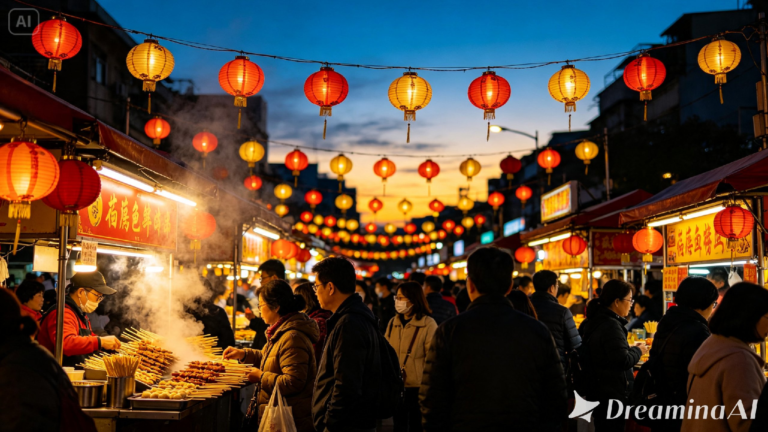
A festival lantern release, a quiet tea ceremony, the noise and color of a street market halfway across the world, some experiences are hard to explain and much easier to just show. Text to video tools have reached a point where that’s genuinely possible from a written description, and Dreamina’s Seedance 2.5 handles the texture and movement of cultural moments with enough care that the result feels observed rather than staged.
Why cultural moments already carry their own motion
A cultural experience rarely happens in stillness, hands moving through a ritual, fabric swaying in a dance, smoke curling from incense. That built-in sense of motion is exactly what a video prompt needs to work with. Describing what’s actually happening in a moment, rather than just naming the setting, gives Seedance 2.5 something specific to bring to life.
Choosing the moment that captures a whole experience
A single scene can carry the feeling of an entire event if it’s chosen well. A few kinds of moments tend to hold up strongly:
- A hands-on ritual or craft shown mid-motion, like pouring tea or weaving fabric
- A shared moment between people, like a toast or a dance
- A quiet detail from a larger celebration, like a single lit lantern among many
Pick the detail that carries the feeling, not the widest possible shot of the whole event. A single, well-chosen gesture usually tells an outsider more about a tradition than an entire wide shot of the festivities ever could.
What makes a cultural prompt feel respectful and specific
A vague prompt risks flattening a tradition into a generic backdrop. A careful one names specific, accurate details, the type of fabric, the particular gesture, the actual setting, rather than relying on broad assumptions. Specificity does more than just improve the visual, it keeps the result from feeling like a stereotype standing in for something real.
Your three step path from idea to finished scene
Step 1: Enter your prompt and add a reference if you have one
Open Dreamina and head to the AI Video section. If you have a reference photo of the specific tradition or setting, upload it through “Add reference image” to anchor the scene. Working purely from text to video, skip that and describe the moment in detail instead.
Below is a short video clip: An elderly woman pouring tea at a ceremony; the steam gently rising out of the cup; her hands making the pour with deliberate care; natural light streaming into the room from behind the paper wall screen and her face calmly watching the pouring process.
Step 2: Choose Seedance 2.5 and generate
Select Seedance 2.5 once your prompt is ready, since it handles slow, deliberate motion and fine detail well. Pick a length that fits the moment, then an aspect ratio, 16:9 for a documentary feel, 9:16 for social sharing. Generate and give it a few seconds to render.
Step 3: Refine the detail and export
Once the clip comes back, check that the small details, hand movement, fabric, lighting, all read accurately before finishing up. Upscale sharpens texture that might look soft, and Generate soundtrack can add ambient sound fitting to the setting. Export it once it’s ready to share.
How Seedance 2.5 handles complex character direction
The most significant improvement in Seedance 2.5 is the ability to follow creative direction, especially when scenes have more than one part that moves.
Green screen and blockout references
Direct input from live-action footage and white models (blockout) data from computer graphics software such as Maya allows for the exact touch points, angles, and interaction between characters to be specified, something difficult to do just through text descriptions.
Fixing the multi-person problem
The twin problem, in which a single person would create two copies of himself, as well as face swap problems, which were occurring in scenes with more than one person, has been fixed.
Local edits instead of full re-renders
After the shot is created, certain elements like backpacks, sunglasses, and watches can be eliminated or modified on the regional level without re-rendering the whole shot.
Choosing visuals that honour the setting
Accuracy matters more here than almost anywhere else. Researching the specific details of a tradition before writing a prompt, the correct attire, the actual setting, the real gestures involved, produces a far more respectful and convincing result than guessing. Seedream 5.0 Pro’s built-in research features can help confirm details before they go into a Seedance 2.5 prompt.
ALSO READ: Apple Just Launched Three New iPhones: iPhone Duo, 18 Pro, and Pro Max Are Here
Where these cultural video clips are already being used
These clips have found real use well beyond personal travel content. Cultural organizations use them to preserve and share traditions with wider audiences, educators use them to bring a lesson on world cultures to life, and tourism boards use them to give travelers a genuine sense of a place before they visit. An experience that used to require being physically present can now be shared clearly and respectfully, and thanks to Seedance 2.5, it holds enough detail to feel like something real rather than a rough approximation.
Sharing a cultural experience used to mean travel footage or a documentary crew on location. With Dreamina and the detail-aware precision of Seedance 2.5, that same moment can be visualized carefully and shared with people who may never get the chance to see it firsthand. Done thoughtfully, it becomes a way of introducing a tradition rather than reducing it to a backdrop.