

Close Menu
FlickonclickFlickonclick
    Facebook X (Twitter) Instagram Pinterest
    FlickonclickFlickonclick
    Facebook X (Twitter) Instagram
    Contact Us
    • Home
    • Entertainment
      • OTT
        • Amazon Prime Video
        • Amazon miniTV
        • Amazon MX Player
        • JioHotstar
        • Netflix
        • ShemarooMe
        • SonyLiv
        • ULLU App
        • Zee5
      • Reviews
        • Movie Reviews
        • Web Series Review
      • Cast Salary & Budget
      • Music
      • Box Office Collection
      • Celebrity
        • Biography Corner
        • Photos
        • Wealth
    • Lifestyle
      • Dating & Relationships
      • Fashion
      • Product Reviews
      • Travel
      • Food
      • Fitness
    • Technology
      • Smartphones
    • Finance
      • Cryptocurrency
      • Startups
    • Sports
    • Latest News
      • India
      • Global
      • Trending
    • More
      • About Us
      • Advertise with Us
      • Contact Us
      • Privacy Policy
      • Disclaimer
      • Cookie Policy
    FlickonclickFlickonclick
    Home » Technology » 7 Hidden USB-C Features on Your Laptop You Probably Never Knew
    Technology

    7 Hidden USB-C Features on Your Laptop You Probably Never Knew

    That small oval port sitting on the side of your laptop is one of the most capable connectors ever built into a consumer device. Most people use it to charge. Here is everything else it can do.
    By Mohan NasreJune 14, 2026
    Facebook Twitter WhatsApp Email
    7 Hidden USB-C Features on Your Laptop You Probably Never Knew

    Most laptop users have a relationship with their USB-C port that goes something like this: plug in the charger, wait for the battery icon to appear, move on. That is it. The cable goes in, power comes out, job done.

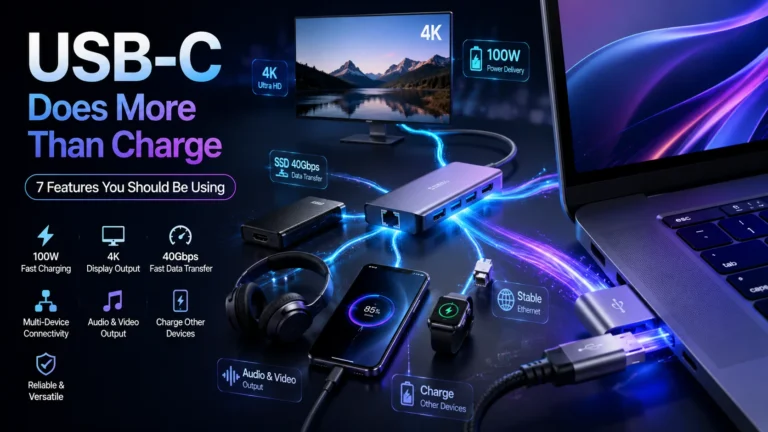
    But that small oval-shaped port — the one that fits either way up, which alone felt like a miracle after years of USB-A — is genuinely one of the most capable connectors ever built into a consumer laptop. Manufacturers designed it to replace multiple ports at once. Understanding what it can actually do changes how you work, how you travel, and how many cables you need to carry.

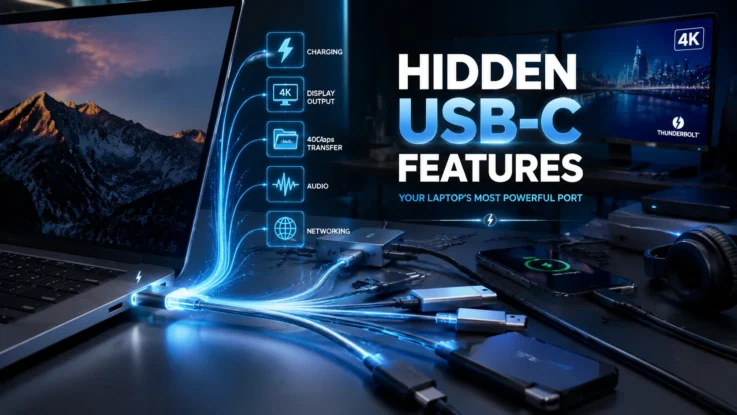
    Here are seven things your USB-C port can do that most people never take advantage of.

    7 Hidden USB-C Features on Your Laptop You Never Knew
    7 Hidden USB-C Features on Your Laptop You Never Knew

    1. It Can Transfer Files at Blistering Speed

    If your laptop supports USB 3.1 or Thunderbolt through the USB-C port, file transfers happen fast. Not slightly faster than a USB-A drive — genuinely, noticeably fast. Large video files that would take minutes on an older connection copy in seconds. For video editors, photographers, or anyone regularly moving large amounts of data between devices, this alone is worth knowing about. Check your laptop’s spec sheet to confirm which standard your USB-C port supports, because not all of them are equal on this front.

    2. It Connects Directly to External Monitors and TVs

    You do not need an HDMI port on your laptop to use an external display. A single USB-C to HDMI cable — or USB-C to DisplayPort, depending on your monitor — connects your laptop to any screen. Many modern monitors support up to 4K resolution through this connection. If you regularly work from a desk or like presenting without dongles and adapters, this is the most immediately useful thing to know.

    3. One Port Can Run Your Entire Desk Setup

    This is where USB-C gets genuinely impressive. With a USB-C docking station or hub, a single cable into your laptop can simultaneously power a monitor, a keyboard, a mouse, an ethernet connection, a hard drive, and several USB-A devices. You plug in one cable when you sit down and unplug one cable when you leave. Your entire desk comes alive through a single port. For anyone who works at a fixed desk but also takes their laptop out, this changes the daily routine completely.

    4. It Charges Other Devices Too

    The USB-C port on your laptop can send power out, not just receive it. Connect your phone to your laptop via a USB-C cable and your phone charges from your laptop’s battery. The same applies to wireless earbuds, smartwatches, and other small gadgets. In a pinch, your laptop becomes a power bank. Useful to know on a long flight or in a meeting room with limited sockets.

    5. It Carries Audio and Video Together

    Some laptops route audio signals through the USB-C port as well as video. In practice, this means a single USB-C connection to a monitor with built-in speakers can handle both display and audio output simultaneously. On thinner laptops that have dropped the 3.5mm headphone jack, USB-C adapters handle wired headphones through the same port. One port, multiple signal types.

    6. Not Every USB-C Port Is the Same

    This matters enough to say plainly. The USB-C connector is standardised in shape, but what it supports varies significantly between laptops and even between ports on the same laptop. One USB-C port on your machine might support Thunderbolt 4, fast charging, and display output. Another might only support basic charging and low-speed data transfer. Before buying cables or accessories, check your laptop’s manual or manufacturer website to confirm exactly what each port supports.

    7. It Is an All-in-One Connectivity Solution, Not Just a Charger

    That is the real headline. Laptop manufacturers built USB-C to eventually replace every other port — HDMI, USB-A, SD card slots, audio jacks, the lot. On the thinnest modern laptops, it has largely done exactly that. Understanding this means you stop treating it as a charging port with occasional other uses, and start treating it as the main connection point your laptop was designed around.

    Also Read: Google NotebookLM Gets Gemini 3.5 Upgrade with Smarter Research and New Export Tools

    The right cable and the right hub unlock the full potential of what is already sitting on the side of your laptop. The hardware is there. It has been there the whole time.

    Features Laptops USB-C
    Previous ArticleAb Hoga Hisaab Series Budget and Cast Salary: Financial Breakdown of Sanjay Kapoor and Mouni Roy’s New OTT Revenge Drama
    Mohan Nasre

      With over 2000 articles and blogs to his name for Flickonclick, Mohan Nasre is a versatile content writer skilled in multiple niches, including entertainment, technology, finance, news, lifestyle, fitness, and more. His dynamic writing style and ability to adapt to diverse topics have made him a go-to writer for high-quality, engaging content that resonates with readers across various industries.

      Related Posts

      Technology March 11, 20265 Mins Read

      UMANG App Gets ‘Mera Ration’ Feature: Users Can Now Check Ration Card Details Online

      Smartphones February 5, 2026Updated:April 8, 20265 Mins Read

      Google Pixel 10a: Price, Specifications, Features and Expected Launch Details

      Latest Articles

      7 Hidden USB-C Features on Your Laptop You Probably Never Knew

      June 14, 2026

      Ab Hoga Hisaab Series Budget and Cast Salary: Financial Breakdown of Sanjay Kapoor and Mouni Roy’s New OTT Revenge Drama

      June 14, 2026

      Estadio Monterrey: Why BBVA Stadium Is One of FIFA World Cup 2026’s Most Advanced Football Venues

      June 14, 2026

      Estadio Akron: Why Guadalajara Is One of Mexico’s Most Important FIFA World Cup 2026 Stadiums

      June 14, 2026

      Estadio Azteca FIFA World Cup 2026: Inside Mexico City’s Legendary Football Cathedral

      June 14, 2026

      BC Place Vancouver Records and Stats: Why BC Place Is One of Canada’s Most Important FIFA World Cup 2026 Stadiums

      June 14, 2026

      Toronto Stadium: Everything You Need to Know about Canada’s Premier Venue for FIFA World Cup 2026

      June 14, 2026

      FIFA World Cup Champions: Complete List of All Winners From 1930 to 2022

      June 13, 2026

      Raakh Season 2 Release Date: Will Prime Video Renew Ali Fazal’s Crime Thriller?

      June 13, 2026

      Karuppu on Prime Video: 5 Reasons Why Suriya’s Mythological Blockbuster Is a Must-Watch

      June 13, 2026
      About Flickonclick

      Flickonclick brings you the latest updates across entertainment, lifestyle, tech, and more. Stay informed with trending news and stories that matter.

      Facebook X (Twitter) Instagram
      Latest Articles
      • 7 Hidden USB-C Features on Your Laptop You Probably Never Knew
      • Ab Hoga Hisaab Series Budget and Cast Salary: Financial Breakdown of Sanjay Kapoor and Mouni Roy’s New OTT Revenge Drama
      • Estadio Monterrey: Why BBVA Stadium Is One of FIFA World Cup 2026’s Most Advanced Football Venues
      • Estadio Akron: Why Guadalajara Is One of Mexico’s Most Important FIFA World Cup 2026 Stadiums
      Important Links
      • About Us
      • Advertise with Us
      • Contact Us
      • Cookie Policy
      • Disclaimer
      • Home
      • Privacy Policy
      • Terms & Conditions
      © 2026 Flickonclick. All Rights Reserved

      Type above and press Enter to search. Press Esc to cancel.