


The best cybersecurity tips help individuals and businesses protect sensitive data from growing online threats in 2026. Cyberattacks like phishing, ransomware, and identity theft are increasing, so simple security habits are now essential for both home and workplace safety. Following the best cybersecurity tips regularly reduces the chances of data loss and privacy breaches.
The best cybersecurity tips also focus on building awareness and using reliable security tools to stay protected online. Strong passwords, secure networks, and updated software create a strong defense against hackers and digital scams. Adopting these best cybersecurity tips helps maintain safe digital practices in everyday work and personal life.
Table of Contents
Quick Overview of Essential Cybersecurity Tips
| Tip | Key Action | Main Benefit |
|---|---|---|
| Strong passwords | Use long unique passwords with managers | Prevents account hacking |
| Multi-factor authentication | Enable MFA everywhere | Extra login protection |
| Software updates | Keep systems updated | Fixes security flaws |
| Phishing awareness | Check links and emails | Avoid scams |
| Secure Wi-Fi | Use WPA3 and strong router password | Network protection |
| VPN use | Encrypt remote connections | Safe browsing |
| Data backups | Follow 3-2-1 backup rule | Recovery from attacks |
| Separate devices | Keep work and personal devices apart | Reduces malware spread |
| Secure connections | Avoid unsafe public Wi-Fi | Data privacy |
| Mobile security | Use passcodes and official apps | Phone protection |
| Physical security | Lock devices and avoid risky USB charging | Prevents direct access |
Top 11 Best Cybersecurity Tips to Protect Your Data at Work and Home
Cyber threats are growing fast in 2026 because of AI-driven scams, ransomware, and identity theft risks. Following the best cybersecurity tips helps protect personal data, company information, and digital privacy at home and in the workplace.

The simple security habits that anyone can follow daily. These best cybersecurity tips focus on practical steps that reduce risks without needing advanced technical skills.
Use Strong Unique Passwords and Managers
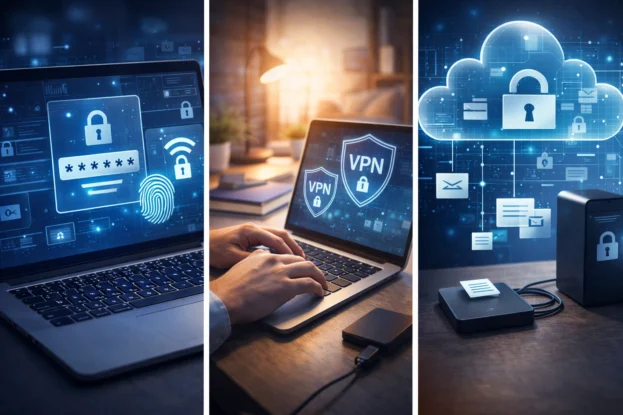
Passwords should be at least 16 characters long with letters, numbers, and symbols. Among the best cybersecurity tips, using a password manager helps create and store strong passwords safely without remembering each one.
Avoid using birthdays, simple words, or repeated passwords across accounts. Regular password changes also reduce the risk of unauthorized access.
Enable Multi-Factor Authentication Everywhere
Multi-factor authentication adds a second verification step, such as an app code or fingerprint. This is one of the best cybersecurity tips because it blocks most account takeover attempts, even if passwords are stolen.
App-based authentication is safer than SMS codes because it reduces phishing risks. Enable MFA on email, banking apps, work tools, and social media accounts.
Keep Software and Systems Updated
Operating systems, browsers, apps, and router firmware must stay updated regularly. Updates fix known vulnerabilities that hackers often target quickly.
Automatic updates help ensure protection without manual effort. Businesses should patch critical security flaws within a few days whenever possible.
Recognize Phishing Attempts Early
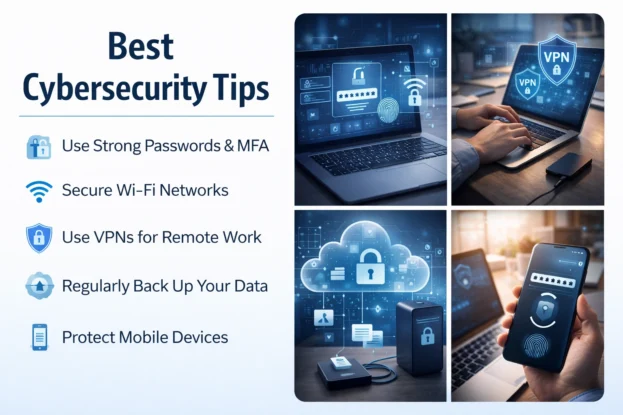
Phishing emails and fake websites try to trick users into sharing passwords or financial data. Learning to spot suspicious links is one of the best cybersecurity tips for everyday safety.
Always verify sender details before clicking links or downloading attachments. Hovering over links can reveal the real destination before opening them.
Secure Your Home or Office Wi-Fi Network
Change default router passwords and enable WPA3 encryption for strong protection. Disable remote management features unless absolutely needed.
Avoid using public Wi-Fi for banking or sensitive work without protection. Secure networks reduce the chances of unauthorized access to connected devices.
Use VPN for Remote Work and Public Networks
A virtual private network encrypts internet traffic between your device and the server. This ranks among the best cybersecurity tips because it protects data on public or home networks.
Organizations often require VPN access for remote work to protect company systems. Choose trusted VPN providers and keep them updated.
Back Up Important Data Regularly
Following the 3-2-1 rule means keeping three copies of data on two media types with one off-site backup. This protects against ransomware, accidental deletion, or hardware failure.
Regular backup testing ensures files can actually be restored. Cloud storage combined with external drives provides reliable coverage.
Separate Work and Personal Devices
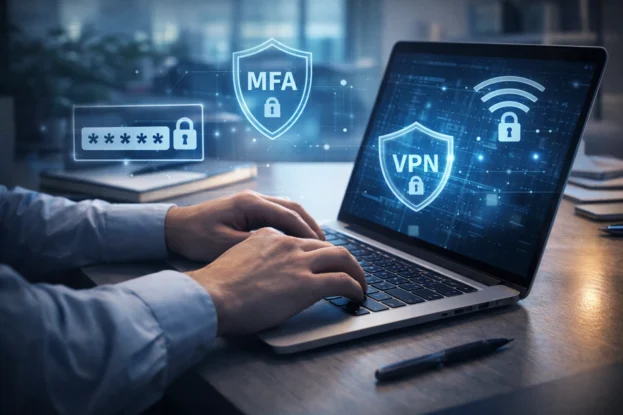
Using different devices for personal and professional tasks lowers malware risks. This is one of the best cybersecurity tips, especially for remote workers handling sensitive company information.
Avoid installing entertainment apps or unknown software on work devices. Dedicated systems help maintain professional security standards.
Use Secure and Encrypted Connections
Always check for HTTPS encryption before entering sensitive information online. Avoid unsecured public Wi-Fi unless protected with a VPN or trusted security tools.
Encrypted connections keep data safe from interception. This is essential for online banking, office work, and private communications.
Protect Mobile Devices Carefully
Smartphones store large amounts of personal and work data today. Following the best cybersecurity tips, like strong passcodes, biometric locks, and official app downloads, keeps them safer.
Enable remote wipe features in case the phone is lost or stolen. Regular updates also improve mobile device security.
Physically Secure Your Devices
Lock your computer screen when stepping away from your desk. Physical safety is often overlooked but remains one of the best cybersecurity tips for both homes and offices.
Avoid unknown public charging stations because they may carry malware through USB connections. Secure storage and cautious device handling reduce direct access threats.
Also Read: 14 Underrated AI Apps We Bet You Didn’t Know Exist
FAQs on Best Cybersecurity Tips
What are the best cybersecurity tips for home users?
The best cybersecurity tips include using strong passwords, enabling multi-factor authentication, updating software regularly, and securing home Wi-Fi networks. These practices reduce the chances of hacking and data theft.
Why is multi-factor authentication important for cybersecurity?
Multi-factor authentication adds an extra verification step beyond passwords. It significantly reduces account takeover risks even if login credentials are compromised.
How can employees stay secure while working remotely?
Employees should use VPN connections, avoid public Wi-Fi without encryption, keep devices updated, and separate personal and work devices. These best cybersecurity tips protect company data and personal privacy.
How often should data backups be done?
Experts recommend frequent backups using the 3-2-1 method. This ensures data recovery in case of ransomware, hardware failure, or accidental deletion.
Are public Wi-Fi networks safe for work tasks?
Public Wi-Fi can expose sensitive data to hackers. Using VPNs and encrypted connections is among the best cybersecurity tips for safe browsing outside the home or office.