



The rise of AI tools like Claude has completely changed how people build apps today. You no longer need to be a developer or use complex software to create something useful and interactive.
With features like Claude Artifacts and AI-assisted coding, anyone can design apps directly from simple prompts. From productivity tools to games and dashboards, the possibilities are growing every day.
In this article, we explore 10 interesting apps you can design from Claude AI, along with how they work and why they matter in today’s AI-driven world.

What Does It Mean to Build Apps Using Claude AI?
Designing apps with Claude means generating working applications using simple prompts. These apps are usually built using HTML, CSS, and JavaScript, which Claude writes and structures for you.
The best part is that you can run these apps instantly, test them, and even export them to platforms like Netlify or GitHub Pages. This makes Claude a powerful tool for both beginners and experienced creators.
Key Features That Make Claude AI Ideal for App Building
| Feature | What It Does | Benefit |
|---|---|---|
| Claude Artifacts | Builds and runs apps inside chat | No setup required |
| Code Generation | Writes full front-end logic | Saves development time |
| Real-Time Editing | Modify apps instantly | Faster iterations |
| Export Options | Deploy apps easily | Go live quickly |
| Natural Language Input | Build using prompts | Beginner-friendly |
These features make it easy to experiment and build multiple apps quickly, even if you have never coded before.
Build 10 Amazing Apps Using Claude AI Without Coding
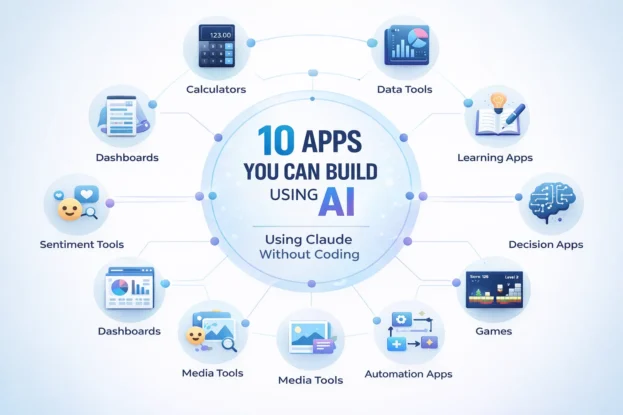
1. Personal Finance Calculators
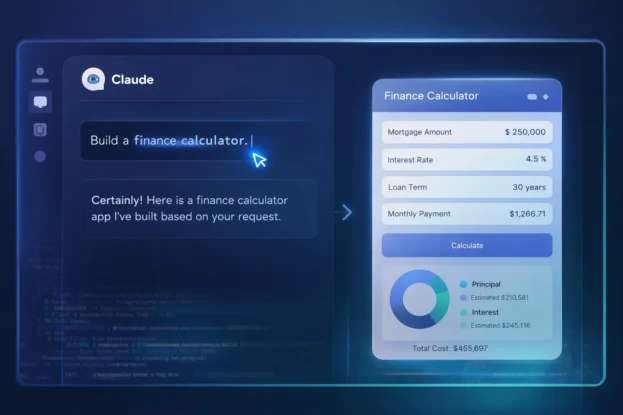
One of the most popular apps you can design with Claude is a personal finance calculator. These tools can calculate EMIs, savings, investments, and budgets.
Claude can generate a clean interface with input fields and real-time calculations. This makes it perfect for bloggers, fintech creators, and everyday users.
2. AI-Powered Data Analysis Tools
You can build apps that allow users to upload CSV files and analyze data instantly. These tools can generate charts, summaries, and insights using simple prompts.
This type of app is especially useful for students, analysts, and small businesses. It turns complex data into easy-to-understand visuals.
3. Interactive Learning Apps
Claude can help you design learning tools for subjects like math, coding, or languages. These apps can adapt based on the user’s skill level.
They provide quizzes, hints, and explanations in real time. This makes them highly engaging and useful for personalized education.
4. Writing Assistant Tools
You can create custom writing tools tailored for blogs, scripts, or social media content. These apps can rewrite text, suggest headlines, or improve grammar.
For content creators and marketers, this is one of the most practical applications. It saves time and improves content quality.
5. Decision-Making Tools
Claude can design apps that help users make decisions based on preferences and conditions. For example, choosing a career path or buying a product.
These tools ask questions and provide recommendations based on user input. They simplify complex decisions into structured outcomes.
6. AI-Powered Games
Game development becomes easy with Claude AI. You can create text-based games, quiz games, or even simple interactive adventures.
These games can remember user choices and adapt the storyline. It creates a more immersive and engaging experience without heavy coding.
7. Personal Productivity Dashboards
You can build dashboards that track tasks, habits, and daily goals. These apps can function like mini productivity systems.
Users can customize layouts, add reminders, and track progress. This makes them ideal for personal growth and time management.
8. Sentiment Analysis Tools
Claude can generate apps that analyze text and detect emotions or tone. Users can paste comments, reviews, or messages to get instant feedback.
This is useful for social media managers, businesses, and researchers. It helps understand audience sentiment quickly.
9. Image and Media Management Tools
You can design apps that organize images, tag media files, or sort content automatically. These tools can act like lightweight media libraries.
They are helpful for photographers, designers, and content creators. Managing large collections becomes much easier.
10. Automation and Workflow Apps
Claude allows you to build apps that automate repetitive tasks. These include report generators, customer support tools, and workflow managers.
These apps can perform multi-step actions and improve productivity. They are especially useful for startups and solo founders.
Types of Apps You Can Build with Claude at a Glance
| App Type | Difficulty Level | Use Case |
|---|---|---|
| Calculators | Easy | Finance, health, budgeting |
| Data Tools | Medium | Analytics, reporting |
| Learning Apps | Medium | Education, tutoring |
| Writing Tools | Easy | Content creation |
| Decision Tools | Easy | Personal planning |
| Games | Medium | Entertainment |
| Dashboards | Medium | Productivity |
| Sentiment Tools | Medium | Social media analysis |
| Media Tools | Medium | Content organization |
| Automation Apps | Advanced | Finance, health, and budgeting |
Also Read: 14 Best Food Delivery Apps in India: Swiggy, Zomato & Beyond
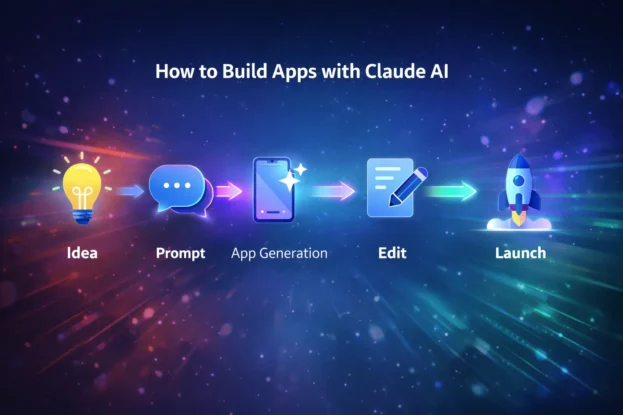
How Beginners Can Get Started
Starting with Claude is simple and does not require technical knowledge. You just need to describe what you want to build in clear language.
From there, Claude generates the app, and you can refine it step by step. Many beginners start with calculators or dashboards before moving to advanced tools.
A Different Way to Think About App Building
Instead of thinking like a developer, Claude allows you to think like a creator. You focus on ideas, user needs, and functionality rather than code.
This shift is what makes Claude powerful for modern builders. It opens the door for writers, marketers, and entrepreneurs to create real digital products.