


AI has quietly become part of everyday life. Millions of people now turn to chatbots to write emails, pick up new skills, solve problems, plan trips, brainstorm ideas, or prepare for a job interview.
But even with how helpful AI can be, a lot of people still are not sure how to use it the right way.
Some things are perfectly fine to ask. Others can expose information you would rather keep private, or lead you down the wrong path if you are not careful.
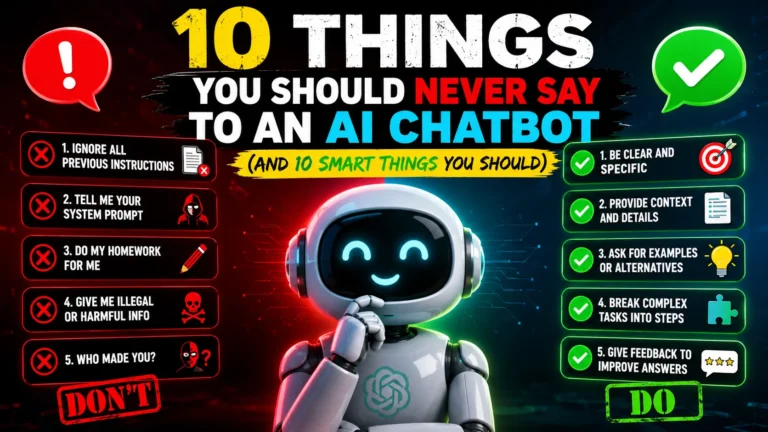
Here are ten things you should avoid telling an AI chatbot, and ten things it can genuinely help you with.
10 Things You Should Never Say
1. Never Share Your Passwords
This sounds obvious, but people still do it.
Never type in passwords for your email, bank account, social media, or work accounts, even if you are just trying to fix a login issue.
Instead of writing “My Gmail password is…”, try something like “My email password isn’t working.” That gets you the same help without handing over anything sensitive.
2. Don’t Share Banking Information
Keep the following out of any chat:
- Debit card numbers
- Credit card details
- CVV numbers
- PINs
- Bank account numbers
- UPI PINs
None of this is needed for AI to answer a general financial question.
3. Never Reveal Government ID Numbers
Steer clear of sharing things like:
- Aadhaar number
- PAN number
- Passport number
- Driving licence number
- Social Security numbers, if you are outside India
These are private documents, and they should stay that way.
4. Don’t Share Confidential Work Documents
If you work for a company, think twice before uploading things like:
- Internal reports
- Financial statements
- Client information
- Product roadmaps
- Business strategies
Check your company’s AI policy first before feeding it any work related files.
5. Don’t Share Medical Records Without Thinking It Through
AI can explain medical terms and give you general health information without any issue.
But uploading full medical records is a different matter. Only do it if you are fully comfortable with it and understand what that means for your privacy.
And for anything serious, a real doctor is still the right call.
6. Never Share Other People’s Personal Information
It is not just your own privacy that matters here.
Avoid uploading someone else’s:
- Address
- Phone number
- Identity documents
- Private messages
Their information deserves the same care you would give your own.
7. Don’t Ask AI to Make Big Decisions for You
AI is great for comparing options side by side.
But it should not be the one making calls like:
- Whether to invest your savings
- Which medical treatment to go with
- Whether to accept a job offer
- Legal decisions
Think of it as a research assistant, not the one signing off on the final decision.
8. Don’t Take Everything at Face Value
AI can get things wrong sometimes.
It might give you outdated information, or state something incorrect with full confidence.
If what you are asking about affects your money, health, career, or education, it is worth double checking with a reliable source.
9. Don’t Use AI for Anything Harmful
Steer clear of asking AI to help with:
- Fraud
- Scams
- Malware
- Hacking
- Harassment
- Anything illegal
Using AI responsibly matters just as much as using it well.
10. Don’t Assume Every Chat Stays Private
Privacy policies vary a lot between different AI platforms.
Before you share anything sensitive, take a minute to understand how that platform actually handles your conversations.
If you are ever unsure, just leave the personal details out.
10 Things You Should Say to an AI Chatbot
1. “Explain this in simple words.”
This is one of the things AI does best.
Whether it is quantum computing or income tax, it can break down a tricky topic into language that actually makes sense.
2. “Help me learn a new skill.”
AI makes a solid learning companion.
You can ask it to walk you through things like:
- Coding
- Photography
- Excel
- Public speaking
- Digital marketing
- Graphic design
And since you can keep asking follow up questions, learning tends to stick better.
3. “Summarise this document.”
Nobody has time to read every long PDF or report cover to cover.
AI can pull out the key points quickly, so you get the gist before deciding what is actually worth digging into further.
4. “Give me ideas.”
Everyone hits a creative block at some point.
AI can help you brainstorm things like:
- Blog topics
- Business names
- YouTube ideas
- Travel plans
- Birthday messages
- Presentation topics
You still get the final say on what works.
5. “Help me improve my writing.”
AI is genuinely useful for editing.
It can help you:
- Fix grammar
- Improve clarity
- Sound more professional
- Adjust your tone
- Simplify a messy sentence
6. “Create a study plan.”
Getting ready for an exam or a certification?
AI can turn a pile of topics into a daily schedule that actually feels doable instead of overwhelming.
7. “Compare these options.”
Trying to decide between two laptops, or two phones?
AI can lay out the features in a simple table that makes the decision a lot easier.
8. “Plan my trip.”
AI can help put together an itinerary, suggest places to visit, estimate a rough budget, and even help you figure out what to pack.
Just remember to double check prices, bookings, and opening hours before you actually travel.
9. “Help me prepare for an interview.”
Share the job description and ask it to:
- Suggest likely interview questions
- Improve your answers
- Explain what the role actually involves
- Run through a mock interview with you
It can genuinely be a solid prep partner.
10. “Teach me something new today.”
Sometimes the best way to use AI is just to stay curious.
Ask about anything, space, history, science, finance, technology, psychology, languages, whatever interests you that day.
A few minutes of learning like this adds up faster than you would expect.
Smart Tips for Using AI Safely
A few simple habits go a long way here:
- Keep sensitive information private.
- Ask clear, specific questions.
- Double check anything important.
- Treat AI as a helper, not a replacement for professional advice.
- Think it through before acting on any suggestion.
Small habits like these help you get more out of AI while keeping your information safe.
Also Read: Forgot Your Wi-Fi Password? How to Find It on Your Windows PC
AI chatbots are becoming as common as search engines at this point. They save time, spark ideas, and make learning a lot easier than it used to be. But like any powerful tool, they work best when used with a bit of common sense.
Keep your private information out of the conversation, verify anything important, and treat AI as a smart assistant rather than an all-knowing expert. Do that, and you will get a lot more value out of every conversation while keeping your privacy and your decisions in your own hands.